Up next in 10

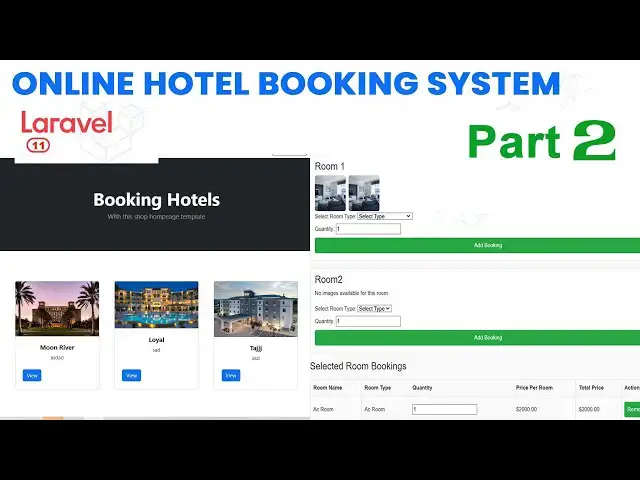
How to Build a Hotel Management System in Laravel Part 2 | Step-by-Step Tutorial
Jan 4, 2025

How to Build a Hotel Management System in Laravel Part 2 | Step-by-Step Tutorial
#LaravelTutorial#HotelManagementSystem#WebDevelopment
#LaravelStepByStep#CodingTutorial#PHPDevelopment
Show More Show Less View Video Transcript
0:00
hi friends welcome to T funny channel uh
0:04
today I'm going to teach the hotel
0:06
management system uh using
0:10
LEL part two tutorial so the part one
0:14
tutorial we have discussed about the uh
0:17
fold configuration we already did in the
0:19
our part one lesson okay so we already
0:23
did the here this is a fold structure we
0:25
already taught okay so how to install
0:27
the LEL uh and everything we have t Okay
0:31
in this video what you're going to do is
0:32
I'm going to uh here I have opened the
0:36
documentation so here this one your
0:38
database configuration everything you
0:40
have shown in our last video so in this
0:42
video we have discussed about the
0:45
relationship okay the relationship is
0:47
must when you
0:49
are uh before you are diving into the
0:51
project the relationship is must okay so
0:54
the first we have to before you have to
0:56
establish the relationship what are the
0:59
actors
1:00
there you have to identify the actors of
1:03
the project okay so in a management
1:05
system if you take the entities what are
1:08
the entities Hotel okay which is the
1:10
entity first entity second entity which
1:13
is a room okay the hotel it is a main
1:17
type there are many hotels if you if you
1:20
go to the booking.com you can see there
1:22
are many hotels here you can go to the
1:25
booking.com
1:31
booking.com there is a large number of
1:35
Hotel you will be able to see the large
1:37
number of
1:39
hotels you will be able to see the large
1:41
number of hotels you can see over here
1:44
okay so here this is a large number of
1:47
Hotel you be able to see you can select
1:49
the hotels by which you need Okay so
1:51
this the same thing here also first you
1:53
have to enter your hotel what the name
1:56
of your hotel okay and hotel where it
1:59
will be
2:00
Hotel places and everything you have you
2:03
have to Define over here hotel inside
2:05
the hotel what are the things are there
2:07
hotel has a rooms one Nel has many rooms
2:11
okay so the rooms has a room type okay
2:15
so the room as room type and room images
2:18
there are one one room as many images
2:23
okay so okay so one hotel has many rooms
2:28
and along with many room images okay so
2:32
that we maintain with the many room
2:34
images and everything we have a separate
2:36
table okay room type you have a AC non
2:40
AC uh VIP room there are many types okay
2:44
so after that booking sales so see when
2:47
you booking the hotels we we can book at
2:50
the time more than one rooms okay if you
2:53
book the hotel
2:55
ABC uh take example if you're if you're
2:57
going to booking the hotel ABC
3:01
uh we select the hotel from the website
3:05
then there is a there are various
3:07
category of rooms there's a AC room and
3:10
double single room and double room and
3:13
triple room and VIP room there are
3:17
several types so you will be able to
3:20
select the appropriate type so if you
3:22
are going for the uh large number of
3:26
group so someone booking the to uh
3:31
triple room someone booking to single
3:34
room and double room triple room so you
3:36
can select a select you will be able to
3:39
select the hotel types uh rooms types
3:42
what the room type you need so you'll be
3:44
able to select so so room has different
3:47
images we will be able to see if it is
3:49
select the uh AC room what is the uh
3:53
what is the room image we'll be able to
3:55
see the image and all so this all the
3:57
things I discussed about this project so
3:59
this a simple inventory once you booking
4:01
the room so it will be maintaining the
4:03
simple inventory okay so this this all
4:05
things we have we already show the demo
4:08
so let's dive into the relationship
4:14
demo so you can see the
4:17
relationship so you can
4:20
see one Orel as many okay so one hotel
4:25
so if it is a example ABC is a hotel
4:30
the which consist of many
4:34
rooms okay there are this hotel consist
4:36
of more than 100 rops in that so one
4:39
hotel consist of many room because hotel
4:42
has a one okay a hotel can have many
4:45
rooms but a room belongs to one H but
4:48
the room one one the rooms belongs to
4:51
one H this is a relationship one to many
4:54
relationship after that rooms and images
4:58
what the Rel room room can have many
5:00
rooms uh many images a room can have
5:03
many images images belongs to one rooms
5:07
okay okay so rooms can have many images
5:11
okay so the room room can have many one
5:15
room can have many room
5:18
Tes it's a easy and double and room has
5:22
many room I have separate table how I
5:25
put it
5:27
here after that another table booking
5:30
sales and booking sales product what is
5:32
the meaning of this one booking sales
5:34
mean if you're going to booking a hotel
5:38
so we can booking
5:41
a more than one room so one booking
5:44
sales can
5:46
have
5:48
many sales products many rooms we can so
5:52
one to many relation booking sales can M
5:55
include multiple booking sales product
5:57
multiple mean sales product mean uh
6:01
booking can
6:02
have book more than one rooms rooms
6:06
nothing but a products okay but each
6:09
room sales products part of the booking
6:12
sales is the part of booking okay before
6:15
you are diving to the project please
6:18
consider this diagram this is very
6:20
important stuff okay if you are not
6:24
consider this diagram we never complete
6:26
the project because diagram is must when
6:28
you are moving diving into the project
6:30
because this diagram is very must before
6:33
you D to the project so we have to uh
6:36
going to 20 or3 times for this diagram
6:38
you have to read this diagram two or
6:40
three times then only you will be able
6:41
to make the
6:42
project
6:44
okay so this diagram is very important
6:46
stuff so that we have discussed about
6:48
this diagram so so we have to first we
6:51
have to this the based on the diagram we
6:53
have to import the we have to create the
6:56
models and migration and everything okay
6:59
so uh I I roughly saw this is my This Is
7:03
My Demo project I have already did this
7:05
all things we have did here this
7:07
migration so we have here go to the same
7:09
thing we have doing in my next video
7:11
tutorial how to do the migration so here
7:13
tables what are the entities we have
7:15
sorry Hotel so we have to go to the
7:19
hotel migration so we have the hotel
7:21
migration you can see the the
7:23
rooms room type okay so room type Hotel
7:28
so the hotel what are the enti this
7:29
hotel name image and description and
7:32
Status whether the uh hotel is sometime
7:36
uh if the hotel is uh sometime that that
7:40
hotel is closed so what happen is we can
7:43
we we never delete that particular hotel
7:46
we have to inactive okay so the inactive
7:49
this hotel so we have we need this
7:51
status active and inactive okay so these
7:55
are the entities so the rooms consist of
7:58
we have rooms room consist of name
8:00
description Hotel ID status everything
8:03
okay so room types okay so here this is
8:07
a room type room name price okay so we
8:11
have a room
8:12
images okay so uh after that booking
8:16
sales booking sales table and booking
8:19
sales products T these are the products
8:23
uh entities so these all things we have
8:25
created step by step in my next video
8:28
tutorial thank you for watching
#Business Services
#Hospitality Industry
#Enterprise Technology
#Hotels & Accommodations
#Knowledge Management
#Event Venue Rentals
#Customer Relationship Management (CRM)