Up next in 10


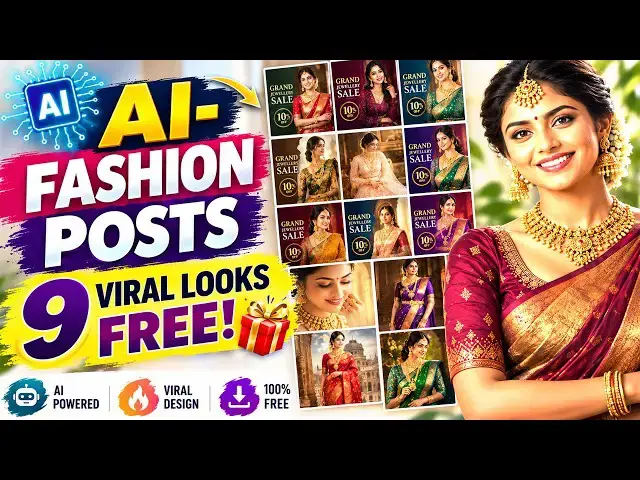
How to Make Fashion Instagram Posts + 9 Viral Fashion Looks With AI
How to Make Fashion Instagram Posts + 9 Viral Fashion Looks With AI
prompt download follow our whatsapp channel https://whatsapp.com/channel/0029VbCZTXVEVccTLy92rT2D
#HowToMakeFashionInstagramPosts #HowToCreateInstagramPostUsingAI #InstagramPostAI #ContentCreationTips
Show More Show Less View Video Transcript
0:01
Hi friends, welcome to Tube Dust funny
0:03
channel.
0:04
Uh I have designed a very attractive
0:08
Instagram post for my business. So,
0:12
that design I have uploaded to my
0:16
uh AI
0:18
uh which is a chat GPT asked in
0:21
different angles, different shots.
0:24
Okay? So, here there's one photo which
0:27
give you the different different angles
0:29
and a different different the same text
0:31
which will be in different position. You
0:34
will be able to see each and every
0:36
uh image
0:39
the
0:40
uh the model should be different.
0:42
So,
0:43
when you show your customer the show the
0:46
customer will choose one of out of this.
0:50
One out of this. Okay? This how we will
0:52
be able to
0:53
uh make a design. Okay? So, that if you
0:55
want
0:56
the which design is good
0:58
easily uh customer it will be become.
1:00
So, here I'll be I need one this one
1:04
just hit one here
1:07
the number one will be there. Here it's
1:09
very attractive poster here.
1:11
You can use it in your Instagram Okay?
1:14
If you want the nine
1:16
nine also you will be able to
1:18
uh number one, number two and you can
1:20
download them and you can upload it each
1:22
and every day for your
1:25
uh brand
1:27
promotion. Okay? So, you when you run
1:30
the Facebook meta ads also you can
1:32
implement one, two, three the every ad
1:34
set you can implement one this designs.
1:37
Okay? Very simple. Good. Okay? So, how
1:39
to do this task? I explain step by step.
1:42
Okay? In our la- in our last video, if
1:46
you are not watch my last video, you
1:48
must watch income. Uh so, I'll put my
1:51
video description in my last video. Last
1:54
video I had discussed about how to
1:55
create the Instagram post with text.
1:57
Okay? So, what I'm going to do is I'm
2:00
going to go to
2:01
uh my I'm going to go to
2:04
the ChatGPT.
2:07
Okay, ChatGPT.
2:10
So, what I'm going to do is I'm going to
2:12
go to
2:13
uh upload my one another image. Here.
2:17
Okay. So, that image
2:20
Wait. It's okay. Now, here I'm going to
2:24
add image.
2:29
It's a little bit slow, my okay.
2:31
Now,
2:34
Okay, this is the poster which I done
2:36
yesterday. So, here this poster
2:40
I want
2:42
in nine different
2:45
looks.
2:46
Okay? I need this poster in my in nine
2:49
different
2:51
uh
2:52
different looks.
2:54
So, this It's a very nice poster. You
2:56
will be able to see here this poster.
2:58
I need a nine different
3:02
in nine different looks. I just get
3:05
this. You can get whatever poster you
3:06
want. Okay? So, I I get this poster. So,
3:10
you will be able to get this poster as
3:11
well. So, let's
3:12
do it this one. This time this is a good
3:14
one.
3:17
I get this one. Instead of that, I'm
3:19
getting this one.
3:21
So,
3:22
now I having a prompt. I have paste it.
3:25
So, this is a This prompt I'll give you.
3:27
Don't worry about that. The master of
3:29
nine complete different Instagram post
3:31
concept. Okay, this is a post This is
3:33
the complete prompt made by me. So, just
3:37
hit this prompt
3:39
and we look we will see the output.
3:42
What will be the output?
3:46
Okay, the problem is I have hit my daily
3:50
uh
3:50
ChatGPT account. So, I'm I'm going to uh
3:53
do in different accounts or that that's
3:55
the things that's the problem with my
3:57
account. So that's that's no problem.
4:07
Okay, we'll try out the
4:19
Now what I'm going to do is I'm going to
4:21
click this one.
4:33
Do this one.
4:57
Okay, don't wait
4:59
until the output comes.
5:02
Okay, so first it is analyzing your
5:05
design first.
5:06
This is the this is the design.
5:08
I'm going to do in different ways.
5:11
Different
5:13
nine ways. So here it it will be first
5:15
analyze your image. Now it is making.
5:18
You have to wait you have to give some
5:20
time to the AI to make nine different
5:23
designs. So you have you must give the
5:26
time. Then only it it make your needs.
5:30
Okay, it make your needs. If you're not
5:32
given the time
5:34
you're not
5:36
it's not it can't make it. So you must
5:38
give the time then only it make what you
5:41
need.
5:43
Okay?
5:52
>> So, let's check.
6:08
Okay.
6:11
Now, it's made here.
6:14
See?
6:15
Nine different designs it's made.
6:18
Here, it's nine different very good
6:20
designs. Attractive designs made for
6:22
nine difference.
6:23
You'll be able to see here. Here, you
6:25
can see it's a very nice design. Look.
6:27
So, whatever you can pick.
6:29
So, I need
6:31
some of these are very very best.
6:34
Then, ninth one.
6:35
So, we have to hit number nine.
6:38
Go here.
6:39
Click right.
6:47
1 2 3
6:48
4 5 6
6:51
7 8 9
6:52
I need nine.
6:53
You
6:54
You have to calculate uh this.
6:57
Okay.
6:58
So, this is a now we have to hit number
7:00
nine. Now, let's check the output. Oh,
7:03
what will be the output of number nine?
7:06
Okay.
7:11
Okay, so uh this master prompt I'll give
7:13
you. Uh I have uh
7:16
attached my WhatsApp channel below the
7:19
chat. Okay, so you you just
7:22
uh
7:23
just go through click on my WhatsApp
7:25
channel and you can join and you can get
7:28
the prompt. Not only this prompt, we
7:30
having a lot of prompts. Okay, so you'll
7:32
be able to get it.
7:34
Each prompt. Okay, so you you must
7:36
join in my WhatsApp
7:38
channel.
7:40
Okay?
7:41
So, that's the very best.
7:44
Okay, so here
7:46
Now, you can see.
7:59
Okay, that's one. That is this is the
8:01
one. Little bit changed, okay? So, this
8:03
is the one. Ninth one means this is
8:05
ninth one.
8:08
So, you can
8:09
get
8:10
Here, this is the ninth one, okay? So,
8:12
it is generated this same thing.
8:15
Little bit different. Okay, so it's no
8:18
problem. You you have to give it again.
8:21
Uh
8:23
You can give here ninth.
8:25
Uh you mean ninth num ninth number
8:29
design.
8:38
You can see here ninth number design.
8:47
As it is.
8:49
You can give it like this.
8:51
Okay, so it again it's going to design.
8:55
Okay, you have to wait.
8:57
It is given the output like this. So, it
8:58
sometime it's
9:00
uh it's the first time it is coming like
9:02
this. So, it is probably coming what's
9:04
the number you are entered here.
9:06
Okay, the ninth number, so it's it's
9:08
it's slightly different, but that Okay,
9:10
so
9:11
same, but slightly different the output.
9:13
Okay, it's no problem. Uh not not only
9:16
this chat GPT chat GPT is not a problem.
9:19
So, there's a
9:20
little bit
9:21
mistakes, okay? So, if it is
9:24
come different one here, know that look
9:26
also the same, but the thing is the
9:28
concept that
9:29
sorry colors and everything are
9:31
different slightly different. But, the
9:33
look also same.
9:35
The then are same. The
9:37
this is the looks. The same looks it's
9:39
coming. But slightly different with the
9:43
the camera angle and everything's are
9:44
correct. Okay, so that
9:47
the dressing color and this background
9:50
are slightly different.
9:52
Okay, so that is a problem. So you have
9:55
to try out this.
9:56
Okay, if
9:57
if if they are go then something wrong,
10:00
don't worry. You have to again you have
10:02
to give the chat GPT and tell them this
10:06
is not correct or something else. Okay,
10:08
so it is
10:11
It
10:13
will be correct. It will be correct. So
10:14
here this one also the same thing.
10:17
It is also the nice. Okay, you can see.
10:24
But it's nice. You can give this design
10:27
as.
10:28
Okay,
10:29
it's a very nice design. Attractive
10:31
design you will be able to check. So do
10:33
it okay, so
10:34
if you want only this background is
10:36
enough. So if you want without a text
10:39
you can enter here I need without text.
10:42
If you want to have a nice
10:44
the girl is there. The the text also
10:46
going to empty. Okay, you will try out
10:48
different ways. Okay, thank you for
10:50
watching.
#Jobs & Education