Up next in 10


The Ultimate Free AI Tool for programmers Aider chat AI
#aiderchatai #aiderchat #aider
Show More Show Less View Video Transcript
0:01
Hi friends, welcome to tutor funny
0:03
channel. Today I'm going to reveal the
0:06
secret of aid AI. Okay, this is the AI
0:10
which we use to uh make the coding very
0:14
efficient way. So this is very good AI
0:18
tool. So this AI tool what I'm going to
0:21
this is mostly very famous for Python
0:25
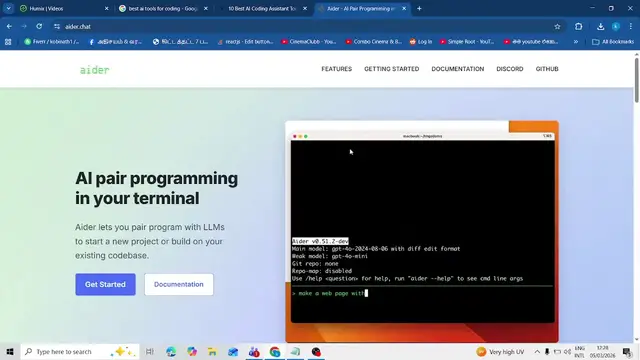
programs. So here this is the UI design
0:29
of that AI you can see. Okay. So that uh
0:33
every programmers would like it. So how
0:36
to get installed? You have to first
0:39
install the Python first. Okay. These
0:41
are the kind first before that you have
0:44
to go to how to install them for the
0:46
documentation.
0:47
So that installation guide how to
0:49
install the getting the p program with
0:52
idea here. First you have to install
0:54
that python pi. Okay. So that idea so
0:58
that it is it is purely made by python.
1:01
So we have to first you have to install
1:03
the python. If you are not that not to
1:06
install python you have to go to the
1:07
python
1:09
download. Okay. Right now I haven't
1:12
installed python in my machine. So you
1:13
have to download and install the python
1:15
first. Okay. After that after install
1:18
successfully you have to run this uh
1:21
command on your BS code editor or
1:25
command prompt you have to run it and
1:27
you have to install the ID install after
1:30
that only it works okay otherwise it
1:33
won't work you have to follow them that
1:35
guidance this is the two guidance you
1:37
have to follow right after that you have
1:40
to work on it very simple right this is
1:43
simple way you have to install them
1:45
right so you have to test out This is a
1:47
simple way how to install the IDR. This
1:49
is very best known for the codings part.
1:52
Okay, another very famous rule. You have
1:54
to install them. Thank you for watching.
#Programming
#Scripting Languages