0:00
Hi friends, welcome to tutors channel.
0:02
Today I'm going to teach the new AI tool
0:04
which is a B new A. This is the AI tool
0:07
which we are using to writing the codes.
0:11
When you are uh implementing the new
0:14
website, we are launching the new
0:15
website. We all the uh things we have
0:19
getting done by this tool. This is very
0:22
best tool. So we have to click on it.
0:24
This one this is the this how you have
0:26
type. This is here you have to give your
0:29
requirements. What is the web web app
0:31
you are going to create or website you
0:34
are going to create? You are just
0:35
implement this uh you have to give the
0:37
requirements over here. Based on the
0:41
uh make based on the requirements the
0:44
site uh will create. Okay. So here you
0:48
have to sign in. You have to sign in via
0:51
your Gmail account or GitHub. Okay. So
0:55
you have to click on the sign in the G
1:01
So I'm going to sign in here. After I
1:04
have uh sign in via my Gmail account,
1:08
the dashboard look like this. Here you
1:11
have entered your requirements. So I am
1:13
going to uh I need you to
1:28
uh I need you to create the website for
1:40
I need you to create I need you to need
1:49
create a simple website
1:54
for my t-shirt shop. Click build.
2:00
So now it's it will be let's go.
2:04
So I'm going here you have to fill
2:06
something else so that uh I'm a student.
2:08
And you have to give the content
2:10
uh freelance or small business owner
2:13
small and uh whatever option I just use
2:16
freelance law or beginner or basic or
2:20
something like okay that's it you got
2:27
launch a website completed okay let's
2:31
okay so wait until the thing is very
2:34
simple okay So this is the best AI tool
2:40
which will be help us to create a
2:45
uh or mobile apps programming
2:49
everything. This is the very best here
2:51
you have to here you have to you gave
2:54
the form correctly according to the form
2:56
it has been created. You have wait until
3:00
Now you can see that website has been
3:02
created here according to the prompt you
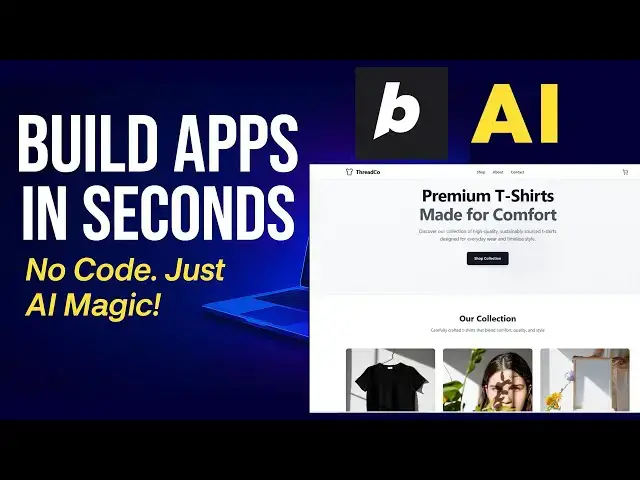
3:05
gave. So that uh that here this t-shirt
3:08
for you here it has been generated logo
3:13
Okay. Okay. Logo also they have created
3:16
that attractive the logo. Here also you
3:20
can uh you can type your
3:24
uh website name. The font also very
3:26
attractive. Here the shops everything
3:29
about contact us everything are there.
3:31
So here shop you can see this shops.
3:33
Okay. So everything here you can add the
3:35
theme e-commerce. Okay. So this is your
3:38
website. So you can publish
3:43
It is publishing. Now you can see that
3:45
the side is publishing just right. Okay.
3:48
So after that if you are if you want to
3:49
do any adjustment also you can put it
3:52
here. If you want to change the color or
3:56
uh I you don't you're not sat satisfied
4:01
uh design. Okay. you have to mention it.
4:04
Okay. So you Okay. So that this a tool
4:08
which will be this is not a human. It
4:09
will be created until you you have sat
4:12
satisfied. You don't bother about this
4:14
one. You can ask feel free to ask and
4:16
they according to your requirements it
4:18
it has been created. Okay. If you want
4:19
to what are the color you need to be
4:21
changed. Okay. What are the design you
4:24
you you expecting. Okay. Those are the
4:26
things you have to clearly you have to
4:28
tell them that I told that that will be
4:30
created based on your requirements.
4:32
Okay. The requirements given by you
4:34
according with the requirements the site
4:36
has been created by a okay so this is
4:40
publishing takes some time to uh
4:43
publishing the preview will be appear
4:47
Now you can see that here that uh you
4:49
can if you want to update the custom
4:51
domain you will be able to buy the
4:53
domain and you can update it. So okay
4:55
this is your website here. This is the
4:57
URL you have just right click and open
4:58
it. This is your site look like. If you
5:01
want to buy the uh domain, it it will
5:05
work according to your do here. These
5:06
are all things you will be able to edit.
5:09
Okay. The simple site.
5:11
Okay. There are one page. Okay. This
5:14
website web page you have to you have to
5:16
do that everything you can ask and
5:17
create. You can have the about us
5:19
contact all things that are needed you
5:22
can start on it. Okay. So that if you
5:25
want to go if you want after if you like
5:26
this one you can make the premium plan
5:29
as well after that. Okay. So here
5:33
uh done according to your requirements
5:35
very simple site you have to made along
5:37
with the thank you for watching.