0:00
Hi friends, welcome to tutoing channel.
0:02
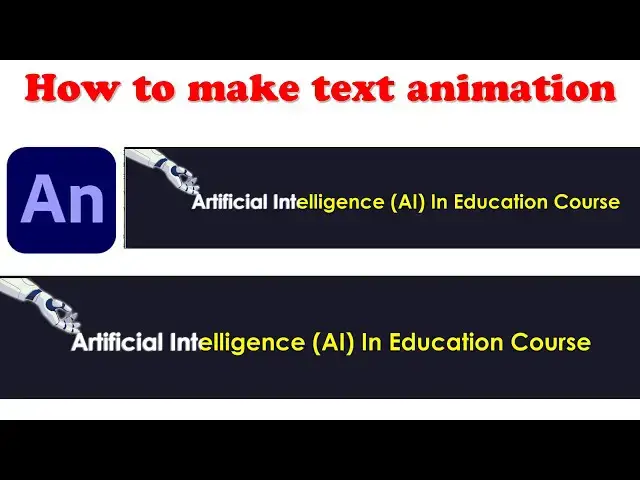
Today I'm going to make the text
0:04
animation using addup animate. So I'm
0:07
going to open up the ad of animate. So
0:10
we have to select on the uh this one
0:14
character animation full screen. Okay.
0:16
So you can according to the your purpose
0:19
you will be able to create. Okay. So we
0:20
have we have to go to the uh web banner
0:23
you have creation you have select as web
0:24
banner. Okay. So we have to create the
0:26
various devices you will be able to
0:28
select here. Right. So I'm going to
0:30
select as a character animation you have
0:32
to select that and uh actions three for
0:35
frame date you have to select as that is
0:37
a professional one click on it to create
0:49
okay now what I'm going to do is okay
0:52
this is one should be our screen so this
0:55
screen I'm going to make it as a
0:57
character uh spec animation
0:59
So hold on the control key down and
1:02
mouse wheel mouse wheel scroll scroll
1:05
the mouse wheel you can adjust the frame
1:07
size look like this. So this is a frame
1:10
one. I'm going to click on the text.
1:15
Type it over here. Uh here we have to
1:18
type first. First you have to type here
1:24
Java programming software developer.
1:36
Right. This is the our animation
1:40
software developer as animations. Okay.
1:43
So you will be able to see the software
1:45
animator right. So you have to this text
1:47
animation you can see here this first
1:50
first frame I'm going to give here as a
1:52
software developer. So this frame I'm
1:54
going to make it as a right click. You
1:56
have to make it as this one as a click
1:58
on here. Make it here as convert symbol.
2:01
You have to make it as graphics. You
2:08
Right. So text. So after that select
2:11
this frame number 10. Right click and
2:15
key frame. This key frame. And what I'm
2:18
going to reset this one. I'm going to go
2:28
Go to that properties. Sorry.
2:32
Here you have to color effect. We have
2:34
to select as a tint. You have to change
2:38
the color. Whatever you need, I need
2:41
this color. So for starting point this
2:43
color is change it here. After that
2:47
second third color is a 15th frame.
2:50
Uh we have to make this color.
2:53
Uh here you have to select here. Color
2:55
I'm going to select as every 10th frame.
2:58
I'm going to change the color. Here we
3:00
have to change the color here as uh
3:03
something this color.
3:06
Okay, here 30 frame I'm going to give
3:14
So you can see the text animation. Right
3:16
click and create shape.
3:24
Create class. Now let's run the
3:27
animation and check. Hold on the control
3:29
key down or press enter key.
3:34
Here your animation is working perfectly
3:38
It is smoothly working. This this is
3:40
kind of a text animation. Okay. This is
3:44
a kind of a text animation. It's very
3:47
easy stuff to do the text animation.
3:49
Okay. Very simple. Okay. So that's a
3:51
simple one. We have to make it as
3:53
animate text animations. Right. text
3:55
animation we have a very professional
3:57
way to do the do it here very simple
3:59
okay so let's simple right so now what
4:03
I'm going to address is we have to make
4:04
the text animation simple way this how
4:07
we have do the text animations right so
4:11
uh so we will be see here this animation
4:14
is should be doing okay so here at the
4:17
14th frame I'm going to little bit this
4:19
animation I'm going to expand it here
4:22
I'm going to read here this is the Here
4:25
I'm going 14 frame I'm going to select
4:27
the color effect you have to add select
4:29
as alpha mode here you have to alpha
4:32
mode you have to make it as a here I'm
4:34
going to set the alpha mode tint also
4:36
I'm going to make as alpha mode zero
4:42
because that's one should be here it's
4:45
coming here smoothly it will be size
4:47
will be here again it will be coming
4:50
here if you right click on classic theme
4:52
here you can see Here it is smoothly.
4:55
Here simply here it will be coming.
4:58
Okay. So that what that's what we need.
5:01
Okay. So here it is coming. After that
5:04
what I'm going to do is if you want to
5:05
make second one at the 45 frame simply
5:10
key frame this key frame. What I'm going
5:12
to do is here this one I want to moving
5:18
Simply speed I mean here speed it's
5:21
moving. So you can see here classic here
5:30
here right here okay it's going here so
5:33
you have to write that click on it you
5:35
have to write that easy easy out here
5:37
write easy in click on it something
5:42
okay you have the effect so you can see
5:49
just check it all the thing is works
5:57
It's perfect. Now here this one should
6:00
be the time should be
6:03
can increase the size little bit. It's
6:05
it will be working fine.
6:13
Right now it's working fine. So the
6:15
simple animation we can make it very
6:18
professional way. we can implement this
6:21
animations. Okay, this animation workers
6:25
these are the things you have to keep on
6:27
know this this all things how to make
6:28
the animations that's animation circle
6:31
which is using flash right so I hope you
6:34
guys understood the things well right so
6:37
here uh another important stuff here you
6:40
have to make the animation first you
6:41
have to write the text after what I'm
6:44
going to after what I did here is we
6:46
have to make as select here make it as
6:49
graphics after that what I'm going to do
6:51
This first frame this color second frame
6:54
what you are going to just select this
6:56
text you have to go and go to the
6:57
properties and change the respective
6:59
color. Okay, that's the thing here where
7:01
the color see color effect you can
7:03
select this all the options what you
7:05
have. Okay. Very simply you have to make
7:08
the animation. Very simple. You have to
7:10
click on it and you have to make the
7:12
things. Okay. Right. The simple way you
7:14
have to make it as the things. So here
7:19
Right. Okay. So you will be able to make
7:22
whatever you need. Brightness, tint,
7:24
advance. Yeah. Advance option is also
7:26
there. Here you have to adjust the color
7:28
as okay. So here this one. Okay. So the
7:32
color effect. Click on it. you can able
7:35
you will be able to do the things right.
7:38
uh so that there are plenty of options
7:40
are there you can have it okay these are
7:43
things we have to do it right so we have
7:46
to do that these are things
7:48
okay so that that that's that's how we
7:51
have to learn okay so if you have any
7:54
doubt you can ask me anytime if you love
7:56
my channel uh please subscribe me love
8:01
me thank you for watching