Up next in 10


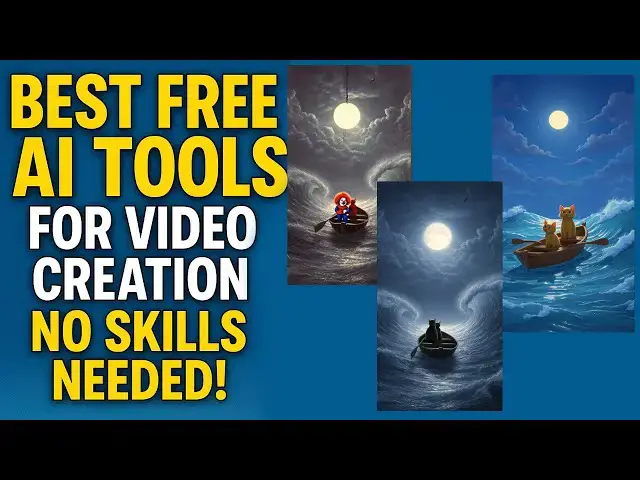
Looking to create stunning videos without spending money? In this video, I’ll show you the best free AI tools for video creation that anyone can use—whether you’re a beginner, content creator, student, or business owner. These tools make video editing, scripting, generating visuals, and producing high-quality videos easier than ever.
You’ll discover powerful AI video creation free platforms that help you make professional videos in minutes. No expensive software. No complicated editing. Just simple, smart, and fast AI video creation tools that do the hard work for you.
Whether you want to make YouTube videos, social media content, ads, tutorials, or business promos, these AI video tools will save you time and boost your creativity.
Show More Show Less View Video Transcript
0:00
Hi friends, welcome to funny channel.
0:03
How to how to do this kind of awesome
0:07
video for your Facebook stories as well
0:11
as Instagram as well as YouTube shorts.
0:14
We'll do step by step. Okay, let's move
0:17
into the tutorial.
0:19
Hi friends, welcome to tuto channel.
0:22
Today I'm going to teach how to make the
0:25
AI videos for free. So we are using the
0:30
Facebook Meta AI
0:36
Facebook Meta AI which we provide the
0:41
completely free videos.
0:44
Okay. So you can use this video for the
0:49
YouTube shots and uh Facebook's stories.
0:54
So you can use this kind of a videos.
0:56
Okay. So you go to the meta.com
1:00
or this is the meta which which provide
1:04
us. So here you will be able to create
1:06
the prompt. So here this is a prompt.
1:08
I'm going to create create a 10 image at
1:11
the cat and kitten
1:15
ceiling on the boat in the moon light.
1:18
The waves are strong. So copy this this
1:22
prompt first. Don't rather than your
1:25
copy and uh put here we have to go to
1:29
the chat GBT
1:32
I have tell them act as a world
1:37
best prompt
1:41
generate
1:48
as a world
1:51
test
1:53
prompt
1:56
generator
2:00
for this
2:03
text.
2:09
Okay, you just click on it.
2:15
Okay. So it's give the enhance image
2:18
prompt the highly polish and
2:20
professional grade. Uh here you can
2:22
write the simple prompt. This prompt and
2:25
the AI will be understand very quickly.
2:28
So you have to copy this and paste on it
2:32
here.
2:33
Okay. So you have paste on it here. So
2:35
you have write this create. You can
2:37
click on create. So here task to login.
2:41
Okay. You have to you have to login the
2:43
Facebook. Okay. The meta will be brought
2:45
by Facebook. So we have to login first.
2:49
So I'm going to login this one.
2:53
Here's the prompt. Act as a world first
2:54
prompt creator. Here's a prompt. Okay.
2:58
So here you can write that uh you have
3:00
to write here right click on it.
3:07
Okay.
3:09
So if you click on it, you can see that
3:11
your image is generating.
3:15
Okay, this how the image is generating.
3:17
You have to wait under the here. This is
3:19
the generated image here. Beautiful
3:22
image has been generated. Okay, that the
3:24
image has been generated beautifully. So
3:27
click on it. One of the one of them.
3:31
Okay. So here you can see that
3:33
restyling. This is meaning of you can
3:36
see your image.
3:39
You can see the images.
3:42
You can see there are formats the
3:44
waterfall uh this is a 3D if you if you
3:47
want to generate the 3D one this image
3:49
if you want to change it as a 3D mode
3:51
you will be able to 3D okay there are
3:54
there are the options free free options
3:57
are there so there you will be able to
3:59
change it as a 3D look okay this is a 3D
4:02
look it has been changed
4:05
okay so here you can see
4:11
Okay, it has been changed. It has this.
4:12
Now, now here it's a 3D here. It's a 3D
4:15
one.
4:18
This is awesome. It's a 3D one. Now, if
4:22
you want, now I I need this one as
4:24
animate. You can click on the animate
4:27
video. So, you have to click it. This
4:29
animate video. You can click it. Click
4:31
animate.
4:38
Okay. So that video is generating you
4:41
have to wait until the uh process
4:44
completed. Okay, this processing still
4:46
it's processing. After this this process
4:50
completed, you will be able to watch.
4:55
Click on it and you can watch it
5:02
here.
5:07
something funny. Okay, this something
5:10
funny. So you can see this uh if you are
5:13
not satisfied, you can go another one.
5:15
If you are not satisfied the 3D one, you
5:17
can go having a new one. Uh normal one.
5:20
It's a normal one. Okay. So there are
5:23
here this is a normal one here. This one
5:25
also you can put animate. This
5:27
completely free.
5:29
You can generate unlimited one.
5:32
The Facebook give us the uh
5:36
u unlimited
5:39
image generation as well as a animation
5:42
video as well. But this
5:44
it is a 1 second or two 2cond video you
5:47
will be able to generate I think two or
5:49
3 second video in between. So can you
5:51
can this kind of a videos you can put it
5:53
your Instagrams stories and Facebook
5:56
stories and Facebook uh uh you can
6:00
generate the three three images okay 5
6:05
second here okay here it's a 5 second
6:08
it's working
6:10
okay it's nice look
6:13
but the thing is there is no sound this
6:16
this video after generator you can
6:18
download them okay download is there
6:20
you'll be able to download that one.
6:21
Okay, you download it. Okay, after
6:23
generated after that you can uh not only
6:26
this. Okay, you have to uh generate two
6:29
two more videos and merge them and you
6:31
have to upload it on your uh Facebook as
6:36
well as a YouTube uh shops. Okay, this
6:38
kind of videos uh that uh you can reach
6:41
an uh
6:43
you are frequently you are going to the
6:46
if you are frequently going to the
6:48
Instagram or Facebook you will be able
6:50
to see this kind of a videos this all
6:52
the videos are made by this kind of a
6:55
these are completely free not we they
6:57
are not providing any cost for it if you
6:59
add that music okay music also you'll be
7:02
able to add it okay there there's a
7:04
music there's a ma there's a matter The
7:08
Facebook give us the free music as well.
7:10
Here also here also you can get one of
7:12
the music library you can finding from
7:15
the library panel you can get there.
7:18
Okay. Here it's trending you can get one
7:21
music. Okay. So here this music you can
7:23
add the music also the
7:27
here the music also you can add it the
7:29
music also generate to get to wait.
7:31
Okay. So that now that we generate the
7:33
music also generated. Okay. So these are
7:35
there are lot of things. Okay. So extend
7:39
uh again can extend extend animations.
7:46
Okay.
7:49
Okay. There are various thing do it.
7:52
Okay. Now you can have that restyling.
7:54
You can all the style you can one you
7:57
can test it. Okay. There are lot of
8:00
restyling options are there. uh
8:03
restyling animation options are there
8:05
you can just click on it and uh check on
8:08
it your video okay so this is this if
8:10
you are not satisfied you will be able
8:13
to change it okay so that uh I'm going
8:15
to click on it this one let's play play
8:18
this one
8:22
okay this
8:27
something different okay so that the
8:30
space will be there here this sample uh
8:33
something different. Okay, this kind of
8:35
a video if you uploaded someone watching
8:38
here it's very very nice this video here
8:41
this
8:46
this space is very awesome
8:49
okay so that you will be able to
8:51
generate the music as well okay thank
8:54
you for watching
Jobs & Education