Up next in 10


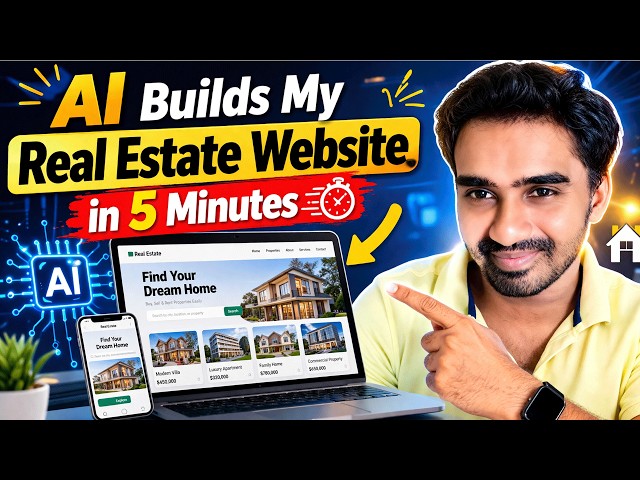
In this video, you’ll learn how to make website with AI step-by-step and create a professional real estate website in just minutes! Whether you're a beginner or a freelancer, this guide will show you exactly how to make website using AI without any coding skills.
I’ll walk you through the easiest method to build website with AI, add property listings, contact forms, and make your site look clean, modern, and high-converting.
💡 If you’re looking to start freelancing or a side hustle, this video also explains how you can sell AI websites and make money by creating websites for real estate clients.
#howtomakewebsitewithai
#howtomakewebsiteusingai
#howtomakeaiwebsite
#sellaiwebsites
#buildwebsitewithai
#aiwebsite
#realestatewebsite
#nocodewebsite
#aitools
#websitedevelopment
Show More Show Less View Video Transcript
0:01
Hi friends, welcome to funny channel. Uh
0:04
today I'm going to teach the how to make
0:07
the website very fast using AI. Okay. So
0:11
there are many student who ask me to how
0:13
to uh do the website very fast without
0:17
knowing codes. Okay. So we have to go to
0:21
that KI tool which is a cloud.
0:25
Okay. If you have click on it, it ask to
0:28
login via your Gmail account. If you are
0:30
logged in, it is coming like this. Okay.
0:32
So I already logged in. So you can come
0:35
to this dashboard. If it is a free user,
0:38
you having you have to use five pro.
0:42
Okay. That's a free plan. Uh if you are
0:44
satisfied, you will be able to buy this
0:46
one. Okay. So upgraded. But uh uh here
0:50
this is a free plan at the right now. If
0:52
it is uh if it is a monthly cost it's
0:55
it's come around $20 but it is very
0:58
worth $20 is worth I recommended is
1:01
worth for $20. Okay. You have to get uh
1:05
good amount of advantages if you are
1:08
working the software folks. Okay. So now
1:11
what I'm going to say you will be able
1:13
there are plenty of modules are there at
1:15
the moment the free model these two
1:17
models are at the time we have free
1:20
opus this is the very best uh feature so
1:23
you you you can't enable this one at the
1:26
moment it is a upgrade it is a premium
1:29
you have to once you pay it will be
1:31
unlocked you will be able to use it uh
1:34
now what I'm going to I'm going to
1:37
type I want to create a website right so
1:40
I I want to you tell them act as a world
1:45
best
1:48
web
1:50
design
1:54
site web design web design.
1:58
Okay. So I'm I'm telling them here I
2:01
need you to design the website
2:08
based on
2:10
real
2:13
estate.
2:16
Okay. It it it consist of
2:23
five pages.
2:26
Okay. So those are
2:29
so you can tell them four pages. Okay.
2:33
Those are
2:35
form
2:37
comma about
2:39
comma
2:41
service
2:43
comma
2:45
contact. These are the four pages
2:48
cancel this.
2:50
Okay. So I have to put into this option
2:53
double quotation mark clearly. So it is
2:56
okay I need a
2:59
need the
3:01
best
3:03
and professional
3:07
you you don't worry about the so
3:10
professional if you have any spelling
3:11
say you get professional
3:15
professional
3:18
okay to tell them clearly then only it
3:20
is
3:22
I need the best and professional
3:25
design.
3:28
Okay. Uh using you have to implement the
3:31
language using HTML
3:34
CSS
3:37
comma tail.
3:46
In order to
3:52
design
3:55
posting HTML CSS page.
4:05
Okay, your white lines.
4:12
Okay, so it is working. You don't worry
4:14
about here. This creating the main HTML
4:17
part, the real estate website. Okay, it
4:21
is it is creating the website. Okay, so
4:24
once you get the design, you will be
4:27
able to edit. So, uh
4:31
uh my I recommend that when there are
4:35
lot of the tutors are telling that you
4:38
will be you don't have a knowledge to uh
4:41
do the website with your uh AI. So that
4:44
is not true. You must have a basic
4:48
knowledge of website. So how the HTML
4:51
structures and everything then only you
4:53
will be able to edit the content and all
4:56
okay that the website is display okay if
5:00
you tell them so once you change the
5:02
content you must have idea about how to
5:05
change the uh content so you you have to
5:08
how to open the file on the VS code
5:10
editor how to edit the content content
5:12
mean not designing the content mean uh
5:15
if you have a five pages the five pages
5:18
what are The content you are including,
5:20
what are service you are providing, what
5:22
about us, what are the you have to tell
5:24
them about your company, what you you
5:26
have to add your company details and
5:29
everything you have to tell them. So
5:30
that so that are the things you must you
5:34
can tell here as these are the homepage
5:36
consist and about service and contact.
5:39
But if it is a premium user, you will be
5:41
able to tell tell and uh uh you will be
5:44
able to design the website. But my best
5:47
thing is you have to get the
5:50
professional dashboard with the dummy
5:52
test. After that you you have enough
5:54
knowledge to edit the one. Okay. So that
5:57
is the thing is creating. So you wait
6:00
until the page has been creating. Then
6:02
after that I'll continue this video.
6:06
Now you can see the site is ready.
6:09
Okay. Now now you'll be able to see the
6:11
site is ready along with the mobile
6:13
responsive. So you'll be able to
6:15
download them. You click it download.
6:18
Here it's downloaded. So now you able to
6:21
get the websites. Okay. So that's a
6:22
website. So you can double click and
6:25
open it here.
6:30
Okay. Here the very best website here.
6:34
So this is very nice look website for
6:38
the contents are very professional. or
6:41
the same page you have to copy and make
6:44
it as about us. The same page you will
6:46
be able to get the about us and you can
6:48
write on it. Here the simple web page
6:50
okay you can tell them that uh your data
6:54
you can write about us.
6:59
I need you to
7:05
design the about us
7:10
page.
7:14
Okay. So you will be able to tell them.
7:16
So it is I build about our it is now
7:20
it's creating the about us page as well.
7:23
Okay. So
7:26
my my recommend is this is once a page
7:29
is created the rest of the page you have
7:31
to get just get the copy of this
7:33
template. Okay the template you just get
7:36
the copy after that you having a
7:40
knowledge about this one we have to this
7:42
this slideshow this the this one
7:45
available only the homepages. Okay. So
7:47
this this is the homepage. So the this
7:50
content you have to change it this one
7:52
this one also you have to you'll be able
7:54
to edit okay very simple these are the
7:57
pages you'll be able to create the
7:58
simple website within the minute so
8:01
using AI so only the things you have to
8:03
tell them that about us that about us
8:05
page is created okay so we have to wait
8:08
uh how the page look like so the same
8:11
template so that the pages look like
8:13
some add some dummy content uh you will
8:16
be able to add your own content right
8:18
okay let's Okay. So once uh continue
8:20
finish
8:24
now you'll be able to see that uh about
8:27
us page also the design you will be able
8:30
to download the about us page as well.
8:33
Here now we will be able to go to that
8:35
design. So we say about us
8:40
here
8:42
you tell them that company and
8:43
everything you have to tell them that
8:46
about us.
8:48
Okay. So, real estate. Okay. So, this is
8:50
the about us design page. So, if you if
8:53
you want that uh here this everything
8:57
are there. So, homepage. So, home page.
9:00
Okay. So, home page. So, about
9:04
this about you'll be able to see the
9:06
about. So, about us page. Okay. Nice
9:08
design. You if you want to contact us,
9:11
you have to tell them I need a contact
9:13
us. This all the pages. What you going
9:15
to do is you have to cut them.
9:19
Go to D drive.
9:22
Make a folder.
9:25
Real estate.
9:36
Okay. Okay. You have to paste.
9:40
That's it. It is working. Click it.
9:43
Click. The rest of the page you have to
9:46
design. Okay. Uh as I explained the way
9:50
that that is the way you have to do the
9:52
rest of the pages. Okay. Simple.
9:56
Okay. The remaining pages you have to
9:58
design. Uh that's that kind of a way.
10:01
Okay. So I hope this video is very
10:04
helpful to make the design. So this
10:05
design you will be able to edit. So
10:08
using that you have to install once you
10:11
install the VS code editor in your
10:12
machine. Let's go to the code space dot
10:18
get them
10:25
here where you will be able to edit the
10:27
content.
10:29
Okay, you'll be able to edit the
10:32
contents here.
10:35
You'll be able to edit.
10:37
Okay, so this simple only things you
10:40
have to know about how to edit the
10:41
content. So this section if you if you
10:45
don't have no need this section you
10:47
select and delete them. These are the
10:50
things you have to you must have a
10:51
knowledge. Okay. That's why we need a a
10:55
very basic knowledge of program uh
10:57
designing program. Then only you will be
10:59
able to design this kind of a
11:01
professional website using
11:04
uh AI. Okay. This is the AI. It's the
11:06
very best AI.
11:08
Okay. Thank you for watching.
Jobs & Education