Up next in 10


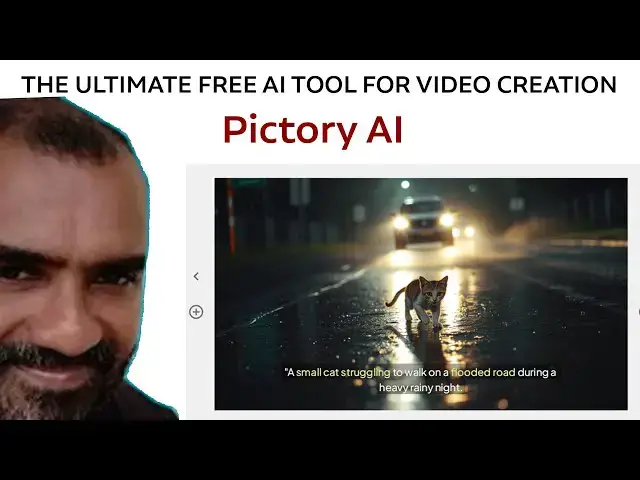
The Ultimate Free AI Tool for Video Creation Pictory AI
#pictoryai #pictory #pictorytutorial #pictoryaitexttovideo
Show More Show Less View Video Transcript
0:01
Hi friends, welcome to tutors funny
0:03
channel. Today I'm going to teach the
0:05
text to video animation video uh using
0:09
Ptori AI. So how to do the video step by
0:12
step? Here's the video I will generate.
0:15
Okay. Okay. So simple video I will
0:18
generate it. Okay. So how to do this
0:20
video step by step we'll teach.
0:23
Hi friends, welcome to Tuto channel.
0:25
Today I'm going to teach about the big
0:28
story AI. This is a very best AI tool
0:31
for generating the uh text to video.
0:34
Okay, this is a video generator best
0:36
tool. So you have to click on it.
0:40
Click free. Okay, first you have to go
0:43
to the free uh plan. After you start
0:47
satisfied, you will be able to buy and
0:49
go to the premium. Okay, any tool you
0:53
can try on it the free one. After you
0:55
satisfy, you can go along with the uh
0:58
free. Okay. Uh paid one. Okay. So, first
1:00
you have to sign up via your Gmail
1:02
account.
1:04
After that, I'm going to click start the
1:07
YouTube monetization here or you have to
1:09
select the ptor here. Okay. So, I'm
1:13
going to select u something monetize
1:16
something else. You can select one
1:17
whatever. Okay. So, now you can go to
1:21
the Ptory AI dashboard.
1:25
It look like this one. It look fine. So
1:27
now we are in the trial one. Okay. So
1:30
that uh trial one. Okay. So we can see.
1:33
Okay. So I'm going to ask which one text
1:36
video. I'm going to choose text video.
1:39
I'm going to create here text video. So
1:42
I'm going to go to that text video. AI
1:45
video generator. So here click on it.
1:46
The text video. Okay. You have to start
1:49
the prompt. What prompt you have? You
1:51
have size. Here you can see the size. Uh
1:53
if is a desktop you are going to
1:55
generate a desktop size. This is the
1:57
mobile. Okay. Vertical. Okay. Vertical
1:59
size. Okay. Now I'm going to go to the
2:01
along with the
2:04
uh desktop one. So what I'm going to do
2:07
is if it is a YouTube is a long video.
2:11
If it is short, you can go to here long
2:13
video. So first before that you let go
2:15
to that chat GB key and ask
2:21
I want to
2:23
generate the
2:26
prompt
2:29
for
2:32
I want to generate the prompt for the
2:34
video. Here
2:37
is the text.
2:39
I need you to
2:43
I need you to give me the
2:49
best prompt.
2:52
Before that you have to write here act
2:55
as a best
2:58
world best
3:03
prompt
3:05
writer
3:13
for video.
3:18
Okay. So I got into the phone prompt. It
3:20
will be here. I'm going to get the from
3:23
the cat.
3:26
The cat
3:28
taste
3:30
struggling.
3:41
struggling
3:50
on the
3:54
rain.
4:00
On the road on the road.
4:07
Rainy time. Rainy.
4:09
Heavy. Rain time. Heavy.
4:13
Heavy
4:17
rain time. Rain. Rainy moment.
4:39
Okay. The cat are struggling to walk on
4:40
the flooding road during the heavy
4:43
raining night. Okay, this is the same
4:45
prompt. I just copy this this prompt
4:49
back to my ptori paste on it. Okay, so
4:55
the title is I'm going to cat
4:59
struggling.
5:07
Okay. So that I'm going to
5:12
paste this prompt.
5:16
Best uh can click on it
5:20
or paste on it.
5:24
Okay.
5:26
No need that this one on the title.
5:28
Okay. This is the prompt. Okay. So what
5:30
I'm going to say things you have to do
5:31
it. So I'm going to
5:35
generate the video. So I'm going to
5:37
select the theme something as the
5:39
tasking. So this one should be the
5:41
themes they tasking. Okay. So the themes
5:44
and everything task select the theme
5:47
right. So whatever theme you can ask is
5:49
a new one. This one. Okay. That uh time.
5:53
So I'm going to select one of these.
5:56
So I select this one.
5:59
Okay. Okay. Wait until the video
6:02
generation complete.
6:06
Okay, wait until the video description
6:08
completes. It will be take some time to
6:10
complete the uh please wait while the
6:12
video story board is being created.
6:14
Okay, wait.
6:19
It's not take not that much of a time.
6:22
Okay, this this is something like a
6:25
video storyboard video. Okay. Uh once we
6:29
are doing doing the presentation and
6:31
that uh YouTube video the presentation
6:33
video uh you will be able to do along
6:36
with this Victoria AI platform. Okay.
6:40
You can generate this one generate the
6:42
video but this is a free one. The free
6:44
one we we cannot have a much option. If
6:47
you purchase the premium one you have
6:50
you have plenty plentium option to
6:53
generate the video very
6:55
professional way. Don't bother about
6:58
this one. If if you purchase that one,
7:00
you would be go to the
7:03
good video. Okay. So the it is you have
7:07
to wait until the video is creating.
7:08
It's still creating.
7:11
Okay. So the here the scenes.
7:14
Okay. The scenes are there. Okay. So you
7:15
can play out. Don't worry that uh Okay.
7:19
So that let's check it
7:23
here. Every scenes are there. Here
7:27
you can see the separate scenes are
7:29
there. Here
7:34
we're still creating that's why it takes
7:36
some time.
7:40
Let's wait
7:44
the video.
7:49
Okay, it's a preview video.
7:52
Let's check how the video as it is.
7:56
Okay. Now the still video is generated.
8:01
Now you can see the video. See you can
8:03
see here.
8:07
Yeah, you can see the video.
8:10
Okay. So if it is we are providing the
8:13
that uh premium one. Okay. It is still
8:17
creating. Okay. So that uh after it will
8:20
be created you can see the uh full
8:22
video. So I'm stop it. Okay. Take some
8:25
time to create it. Okay. Okay. So if you
8:28
have purchased the premium one the
8:30
automark is gone. The greet image they
8:33
are taking some automark from that uh
8:36
premium uh picture platform. If you
8:39
purchase then that automat has gone.
8:41
Okay. This how that that uh should be
8:44
works. Okay. Here you will be able to uh
8:48
get the libraries you will be able to
8:50
edit here. Okay. So that uh you will be
8:53
able to edit the video as you wish.
8:55
Okay. The rainy also if you are not
8:57
satisfied this one you will be able to
8:59
edit this one. Okay. said that uh
9:02
categories that the cat also you are not
9:05
able
9:07
you you you don't have to
9:10
uh you don't this cat is good you can
9:13
able to get this kind of a cat you can
9:16
ch uh ching
9:19
you can uh search cat videos so you will
9:22
be able to get one of this and you can
9:25
use it
9:28
okay so that a studio also you will be
9:30
able to generate over here describe that
9:33
uh
9:36
you can you generate over here as well
9:39
here also you'll be able to generate
9:41
that uh images okay so here the AI
9:44
studio as well
9:47
here this images generated okay here
9:52
this images also you will be able to
9:54
include it
9:58
okay the struggling cat
10:05
Okay. So that the same image we will be
10:08
able to generate it.
10:13
This is the best image here.
10:18
Okay.
10:20
So this how we can generate that work.
10:23
Okay.
Jobs & Education