Up next in 10


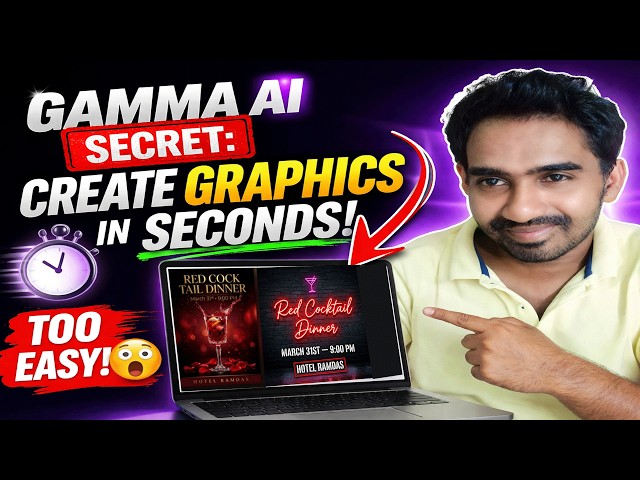
Want to create stunning presentations and graphics in seconds? 🚀
In this video, I’ll show you how to use Gamma AI to design professional content without any design skills!
This Gamma AI tutorial is perfect for beginners who want to create beautiful slides, documents, and visuals quickly using AI. Whether you're a student, marketer, or developer, Gamma AI presentation tools can save you hours of work.
😳 You won’t believe how EASY it is!
🔥 What You’ll Learn:
How to use Gamma AI step by step
Create stunning Gamma AI presentations in minutes
Turn ideas into visuals instantly
Tips to make your designs look professional
💡 Why Use Gamma AI?
No design experience needed
AI-powered content creation
Fast, simple, and beginner-friendly
Perfect for presentations, reports, and more
#gammaai #gammaaitutorial #gammaaipresentation
Show More Show Less View Video Transcript
0:01
Hi friends, welcome to Tutors Funny
0:02
Channel. Today I'm going to bring you
0:05
the video for Gamma AI.
0:07
So, Gamma AI AI which purpose of
0:10
creating the presentations, okay? So,
0:13
this is when you want to get the
0:16
uh efficient
0:18
uh presentation good presentation, you
0:20
can use it this one, okay? Now, this AI
0:24
tool which will be convert as a graphic
0:26
designing asset. So, here if you are
0:28
click on it, you can show here.
0:30
I'm going to
0:31
If you click on it, it goes to that
0:33
particular dashboard. You have you can
0:35
see here.
0:37
So,
0:38
here
0:39
uh
0:39
the first time
0:41
uh
0:41
it ask you to
0:43
uh login. So, you have you can login
0:46
this Gamma app using via your Gmail ID.
0:50
I've already logged in. Okay? So, if you
0:52
uh
0:53
the first time if you are click on it,
0:55
it ask you to login. So, you can see
0:57
this is the dashboard.
0:58
Okay? So, you will be able to create a
1:00
presentation as well. Here if you are
1:01
click create new,
1:04
Okay, you can create new you can see
1:06
here.
1:07
You can see here. So, you can
1:09
here that generate base there a lot of
1:12
options available. So, I'm going to
1:13
create generate.
1:16
You will click generate, you can see
1:18
over here the presentation web page will
1:21
be able to get the web page as well. So,
1:23
documentation, social media, the new
1:26
things it is available for Gamma is a
1:28
graphic designing. If you are click on
1:30
this graphic designing,
1:32
you can see
1:34
here you can see that there are a lot of
1:35
poster available. You will be able to
1:37
get the very best poster here.
1:40
So, here you can see here if you click
1:41
on it,
1:43
uh you can
1:45
you you can get you can pick up the
1:47
design whatever you need. You just pick
1:49
up the design whatever design you need.
1:51
Uh okay, so here something else. Just
1:54
I'm click on something else, okay?
1:57
Okay, so I'm going to describe the
1:59
uh uh
2:01
Uh
2:02
so, I want to make it as a like a this
2:05
one, desktop size. I need a desktop
2:07
size. So, I'm going to make the
2:11
uh graphics thumbnail. So, I'm going to
2:13
create whatever.
2:16
Uh we can see here one to one. Let's
2:18
click one to one. So, I need a
2:21
uh
2:22
I need you to create a
2:29
create a
2:30
book cover
2:37
book cover which
2:40
name is
2:47
I'm going to give inside double
2:48
quotation mark I'll give you a
2:52
horror
2:54
life behind.
2:59
behind.
3:01
Okay? Horror life behind. This is a book
3:03
cover.
3:04
Okay? So, click on it. The theme you can
3:07
see
3:08
uh at the moment I'm not create any
3:10
themes. I click.
3:13
Okay? So, you can see
3:16
uh what is the result
3:19
will be predict.
3:20
Okay? You have to wait and see
3:22
what happen.
3:24
Okay? So,
3:25
you can see that
3:27
uh
3:27
it is still
3:29
creating your uh book cover. You have to
3:31
wait until the process complete.
3:35
>> [clears throat]
3:36
>> This is a very best strategy for
3:38
creating the
3:40
uh graphic design. So,
3:42
you can see there are some book cover
3:46
has been displayed here.
3:53
This book cover is very attractive.
3:56
This is very just like a
3:59
something there is a book cover is here.
4:01
Very eye-catching book covers. It's
4:03
created here.
4:05
You can see
4:07
these are the three
4:09
book cover is created. Okay? You will be
4:11
able to create more book covers, okay?
4:13
So, this is how we will be able to
4:14
create the book cover. So, whatever you
4:16
can see that
4:17
uh I am going to create that another
4:19
one. You choose that uh
4:21
same thing. You have to create a another
4:23
book cover.
4:24
I need you to create the
4:28
flyer design flyer design
4:33
for my for my for
4:36
my upcoming
4:39
upcoming
4:41
party.
4:45
Party or event, okay?
4:46
Which is a
4:51
red
4:53
cocktail
4:54
tail
4:59
dinner.
5:01
Just like a
5:03
name.
5:05
Red cocktail dinner.
5:07
Okay?
5:09
Uh you can see that the
5:11
date
5:15
I'm going to mention [clears throat] the
5:16
date.
5:20
20
5:21
uh
5:22
uh
5:23
March
5:27
31st.
5:32
Time
5:36
9:00
5:43
>> [clears throat]
5:43
>> p.m.
5:47
at
5:52
hotel
5:57
Ramada
5:58
Ramada.
6:00
Ramada.
6:03
Ramada.
6:06
Okay?
6:07
So, this kind of a simple description
6:10
simple details I included too in order
6:12
to create the flyer. I need to create a
6:14
flyer design for my upcoming party. You
6:16
have to provide the details like this,
6:18
okay?
6:19
So, now
6:20
I'm going to click create.
6:45
Okay? It takes some time to create this.
6:48
Things you can count here
6:50
here if you if you if you select as one,
6:53
the
6:53
count will be one. Uh one
6:56
flyer has been created. If it is select
6:58
three, there are various three designs
7:01
has been created. So, we have to wait uh
7:04
how
7:05
Uh here that you can see that here
7:09
there are
7:11
Here you will be able to see here.
7:13
This is nice
7:14
flyer design. Here you can see the
7:16
cocktail red cocktail dinner the March
7:19
21st 9:00 that that is a flyer so very
7:22
very beautiful here.
7:23
This kind of a flyer also created. So,
7:25
this is a very nice flyer design.
7:27
Okay? So, you will be able to see here.
7:29
The this kind of a designs are
7:32
uh
7:33
the foreigners are very
7:34
the foreign peoples are like this one.
7:37
Okay? You will be able to select
7:39
uh you can see that eye catch.
7:43
Catch one.
7:45
Catch one.
7:47
Uh here you can see that that
7:49
the light here the light here that you
7:52
will be able to see that
7:54
>> [clears throat and cough]
7:54
>> something
7:55
themes. There are many themes are there.
7:58
Uh let's select one of the themes.
8:01
You go for it.
8:05
You click on this themes something like
8:07
that.
8:08
Okay, eye catching.
8:10
Uh
8:11
Okay?
8:13
So, then again if you if you are not
8:14
satisfied, you again
8:16
you can generate it.
8:18
And wait uh
8:20
wait and see the asset.
8:24
>> [clears throat and cough]
8:25
[snorts]
8:52
>> Okay, this is this output is not boring.
8:54
This is uh this because the output is
8:56
very bad. Okay, this is good.
8:59
Okay? Here this is something like that
9:01
here. So, this kind of a eye catching
9:05
uh flyer you will be able to make.
9:08
Okay? The flyer design so that the we
9:09
are upcoming uh
9:12
New Year festival. So, here if you are
9:14
going to the
9:15
uh
9:16
I need you to create the
9:18
uh New Year.
9:24
Tamil New Year. Tamil New Year.
9:28
New Year.
9:31
Instagram Instagram
9:34
post.
9:35
You can put it.
9:38
Just click.
9:44
So, these are the designs we Here you
9:46
you will be able to
9:48
create free and you will be able to use
9:50
it.
9:52
Where are you need? Okay, they're very
9:53
simple.
9:54
Then the you no need to I I ask someone
9:57
else to do it. So that you have to do
10:01
your own work.
10:02
This [snorts] is unlimited. This is not
10:04
unlimited.
10:05
We have a free plan also. They each and
10:07
every day they give they give they given
10:10
us two
10:11
300 credits. That is that enough for us
10:14
to create the
10:16
designs.
10:18
Okay.
10:22
Okay, let's see.
10:24
You're almost out of the credit. Okay,
10:26
so here
10:28
you can see this is a Tamil post so here
10:30
it's coming very well. Okay.
10:32
Yeah, okay. That Tamil post also I'm not
10:35
expecting for this kind of output. It's
10:37
a very good output. See?
10:39
Okay, so
10:41
this is a very good tool. I recommend
10:43
it. Thank you for watching.
Design
Multimedia Software
Jobs & Education