0:00
Hi friends, welcome to tutors funny
0:03
channel. Imagine you can any images you
0:07
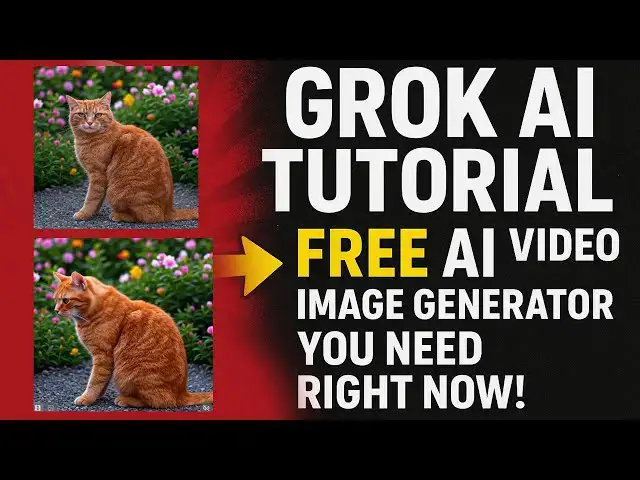
can transform to the video. Okay, this
0:10
images this image I got from Google and
0:13
I have create I have recreated by
0:16
cropped AI. So I have made the video.
0:19
Okay, so how to do the things step by
0:21
step I will teach in the tutorial. Uh
0:30
Today I'm going to teach the crop AI
0:33
which will be very useful uh tool to
0:36
recreate the images. Recreate the images
0:38
means you can see lot of images on
0:41
Google. So I have a uh here you can have
0:49
So if you are a content creator there
0:51
are a lot of car you can see. Okay. So
0:53
cats. So they are familiar the cats.
0:56
Okay. Cats. So we we are going to cats
0:59
there are many cats in the world. Okay.
1:01
So you can see over here these are the
1:03
lot of images. So I need this images. I
1:07
want to upload my content in my Google
1:10
content in my Facebook or something I
1:13
want to recreate it. Okay. So the
1:15
recreated purpose also we can do by this
1:17
one. Okay. So that uh Gro AI which will
1:22
be provide the free uh free option as
1:26
well. Okay. If you satisfy you can buy
1:29
go along with the premium the first time
1:32
when you try out the first time you will
1:34
be able to buy the free. Okay. So here
1:37
you can easily go here. So you have to
1:40
login. So you have to login. So here
1:42
first you have to after you have to uh
1:46
click on the link on the Google search
1:49
the page look like this. Okay. It visit
1:52
the respective dashboard look like this.
1:55
So the crack this is the fastest one
1:58
that okay the for nowadays the beta
2:00
version okay so here the super this is
2:02
the upgrade if you upgraded you can go
2:04
over here okay this is uh they they
2:07
given the more accurate accurately
2:11
create the images and all the things
2:12
okay so now what you're going to create
2:15
images here that's create images
2:16
everything there so now what you're
2:18
going to do is I just click create
2:20
images of create image click on that so
2:24
the cat. So that uh the cat pictures the
2:27
cat pictures so that I want to
2:36
So let's just copy and paste it. Tell me
2:38
do instead of Yeah, we can just copy
2:43
control C. Copy and paste it. Okay.
2:45
Instead of saving, you just control uh
2:48
right click and copy and control paste
2:50
on it here. There's uh it is a possible
2:54
way to paste the images on the search
2:57
bar and I'm going I want to
3:10
I need you to recreate it. That's it.
3:18
create the uh I need you to recreate
3:31
Now let's click on it.
3:40
Now you can see that image has been
3:42
recreated. It look like this
3:47
recreated look like this. Okay. So okay
3:49
this image I have recreated. Okay the
3:53
look has been changed. Okay. This we can
3:56
change any images you will be able to
3:57
recreate. Okay. So that if you here you
4:00
can see that if you click make the video
4:02
also it also we can make the video as
4:06
Okay. the the crocki given the many
4:13
So you can see that it is make the video
4:16
it will be able to be we can make the
4:18
video as well but it take some time to
4:20
make the video. So you can see here.
4:23
So this video we can make it. Now if you
4:25
play the video you can see that output
4:28
very nice output. You can see that
4:31
it is uh we can't I can't imagine
4:34
whether it is AI. So it's a natural
4:37
look. You can see here
4:39
okay that is the ability of crop they
4:43
they will able to provide the output as
4:45
a natural look. Okay. this I I cannot
4:49
identify whether it is AI or natural. So
4:52
that is it will it has been created
4:56
for us generate the output. Okay you
4:59
have to try out this is a very best tool
5:01
for uh generate regenerate the AI
5:04
images. So if you have any images in
5:06
your mind you have to generate the image
5:09
after that you can uh you can make the
5:13
video look like this. Thank you for