Up next in 10


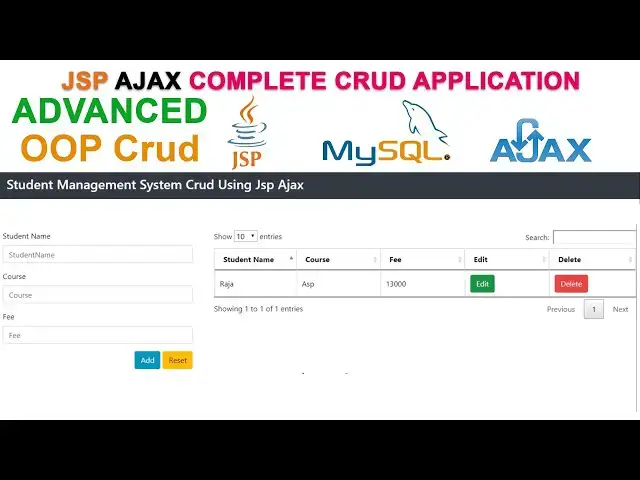
Learn JSP AJAX OOP CRUD System | Complete Beginner’s Tutorial
#jsp #ajax #oop #crudapplication #javawebdevelopment #stepbysteptutorial #jsptutorial #ajaxtutorial #OOPTutorial #fullstackdevelopment
Show More Show Less View Video Transcript
0:10
hi welcome back in our previous video we saw the basic cred part of JSP with ax
0:18
in this video I'm going to teach the advanced GED using JSP with ax now here
0:24
I already created the project student Advanced grit and I have created the
0:30
index.jsp page the same design what I design in my basic cred the same design
0:37
I just copy and paste it here uh this is the simple form the form consist of uh
0:43
student name and student course and Fe these fields right these three fields we
0:49
have right uh we have one button right add button right after fill the form and
0:56
click add button it goes to the function add student I have created below right okay we have
1:05
study we already studied this stuff in our basic cred right GSP uh adx cred we
1:12
we already studied this stuff now here Advanced cred part but we are going to learn here is
1:19
here if you fill off the form click add button it coming to the function at
1:25
student function here it goes to the particular URL at stent . GSP page now
1:31
here what I'm going to do is here first I'm going to go to the package
1:37
Source packages right here this is the this is the folder which has uh web
1:43
pages uh we have another uh folder which is a source packages here Source
1:49
packages I'm going to create the new package right this package right click
1:54
new Java package I name it name it as here as B
2:01
the beans this package I name it as beans click finish after that I'm going
2:08
to create another package which is a dow so here to New a
2:15
dow right dou package click finish right we have created the two packages inside
2:23
the source package right first one is a beans package another one is a d right
2:29
now what are I'm going to do is here uh inside the beans package I'm going to uh
2:36
create the class right so click on the beans beans package right click
2:43
new we have to select Java class right
2:48
we have to create the class here is student class student class right student class
2:55
right click finish right okay okay student class click inside the student class I'm going
3:04
to create the four variables so first I'm going to create the integer variables
3:10
ID after that I'm going to create the string variable student name so St
3:17
name after that course we have a course after that we have a fee integer
3:25
fee right okay after that after create the variables we have to generate the
3:33
get and set method right so how to generate is right
3:38
click insert select the option insert code this one if you select this one
3:45
here here you have to set here is Select here as this properties you have to select here is get and set this one get
3:52
and Setter right this one if you click on this one here you have to check all the stuff you have to check all this
3:59
right you have to check all all click generated here it generated automatically like this right it's
4:05
generated uh it's a get ID set ID here get SD name set SD name get course set
4:14
course get fee set fee all the Fe should be there right after that what I'm going
4:20
to do is here we have to generate a Constructor as well right so select here
4:26
right click insert code
4:31
Constructor okay we have a Constructor okay we need a Constructor also you check all the stuff click generate
4:39
okay this is a parameterized Constructor we have to set it here right after that
4:46
what I'm going to do is here I'm going to do another stuff is we have to do
4:51
another things here after the set fee here we have to right click we have to
4:57
insert code we have to generate the two
5:02
string method right click on this one generate all the stuff we have to click
5:08
generator right this method we are used to just print the values right okay we
5:13
we used to just print the values two string method right this is simple stuff we have to do right we have we have
5:20
created The Constructor get and set method after that we have created the two string method
5:27
right okay these are the things available in our student class right
5:33
after that what I'm going to do is here I'm going to go to the DA this one right
5:40
Dow class right here right select the Dow class right click
5:47
new select Java class here I'm going to create the name
5:55
student that this class I'm and right you create
6:00
like this you write like this simple okay student down right click
6:08
finish right now what I'm going to do is here now uh before write the code inside
6:16
this uh student Dow class I'm going to create the database connection first so
6:21
let's go to the Dow package right click
6:28
new Java class I'm going to create another class connection we have to create a class
6:36
connection write other DB connection DB connection class right
6:43
click finish right our DB connection class have created successfully now here
6:49
I'm going to uh establish the database connection right so here what I'm going
6:54
to do is here now I'm going to write the data connection here before I'm going to
7:01
write the connection here I already add the MySQL connector as well as a Jon
7:08
simple this uh simple jar file we already added all the stuff here you must add all the stuff here inside the
7:14
Library uh Library folder right now what I'm going to do is here I'm going to
7:20
write write a static method public
7:25
static static connection
7:32
here write here is get
7:40
Connection open and close bracket right now here we have to add this one
7:47
as import SQL connection right after that what I'm
7:52
going to do is here here uh we have to write connection object inside here we
7:58
have to write the connection object equal
8:04
not after that we have to write the register the driver so class dot forone
8:11
name here we write my SQL do
8:18
jdbc do
8:23
driver right now we have to generate the try and catch block surrounded uh start
8:29
with try and catch right after that we have write the uh database connection
8:34
path right so we have write connect we already created the object above get get it here equal driver
8:43
manager dot get connection right now you have to write
8:50
the uh URL so we have write jdbc MySQL
9:00
do locost my databas is reside on the locost we all this all the stuff you
9:05
studied our previous tutorials so here what is the database name St CR this is
9:11
our database name right St CR okay so this this is my database name SC right
9:17
inside the local it reside on local right after that what I'm going to say
9:23
we have to write the user credential of the MySQL server so root is a username
9:29
password is a BL it's a default username and password of my SQL Server right we
9:35
already studied this all the stuff now we have to generate the catch right okay perfect this is the
9:43
thing we have to do after that we have to return this one so we have to return the connection right this connection we
9:49
have to return right so we have to write return you have to type the
9:55
keyword return you have write con
10:00
now we here error go away right this function return return right take return
10:06
right connection this connection you have to return here okay return connection right after that what I'm
10:13
going to do is here let's back to our student Dow class
10:18
right now inside the student Dow class I'm going to create the connection
10:24
object so I'm going to create the connection object connection write the object name Co n right here it
10:36
ask to import the class you can add the class here add import for java.sql
10:42
connection you just click on this one here the class will be added right so
10:47
instead of write if in instead of writing like this so you can
10:54
write import java.sql
11:00
you have to write the ASC right if you write like this you'll
11:05
be able to access the all the SQL classes if you put the as right this the efficient way to write okay now here I'm
11:12
going to write the prep statement prepare
11:20
statement pstd I created the object P right now I'm going to create the one
11:27
method which is a insert student so you have to write public in you have write
11:36
insert student which take one
11:42
parameters which is student after that you have write the
11:50
throws you have write the throws here we have to write
11:57
SQL SQL exception
12:02
comma class not found exception class not found
12:11
exception right now we have to write instead of writing trial and catch
12:18
you can write this way also right put the pro method and you can write SQL
12:23
exception as well as a class not found exception right now here you have add this class right so you have to click on
12:30
this one uh the student class will be reside on the beans package right the
12:36
student class will be reside on the beans package so here if you click on this one here import
12:43
for inside the beans package you have a class student right uh what are the
12:49
properties available in the student class you can access here right click on here now the errors go away right now
12:56
what I'm going to do see here I'm going to first I'm going to Esta this the database connection I already created
13:03
the uh student DB connection class here I have to call it to uh in this student
13:12
right so we how to call it here is you have write we already created the connection object above you have to
13:18
write here con equal you have write this uh this class right
13:25
DB connection DB connection dot get
13:33
connection this name the name of the class DB connection inside the DB
13:39
connection we have a method called get connection right click on this one right
13:45
here get connection okay
13:50
right now what I'm going to do is here we establish a database connection perfectly well here after that I'm going
13:57
to write the int status equal Z the status which which is
14:05
written right this one should be which return right the the in should be return okay so you have write int status equal
14:12
Z right now what I'm going you have just contr X to cut off contr V to past here
14:18
right now I'm going to write here is write create the variable string you
14:24
have write SQL the variable string variable SQL equal you have to write the
14:30
insert quy here okay inside the double quotation mark I'm going to write insert into which table I'm going to
14:37
insert the record records table right here you have to specify the columns
14:44
this columns right student name course and fee right so this all the stuff we have done our basic gred part so course
14:53
uh St name course comma Fe
14:59
here I'm going to write values you have to write the
15:05
parameters three right okay after that what I'm going to
15:11
do is here now I'm going to write the prepare statement so we write PST
15:17
equal connection dot prepare
15:22
statement this SQL variable right you have to call it inside this PL right
15:29
after that what I'm going to do is here we have to write the parameters so write PST do set
15:39
string first now here what I'm going to do is here we have to build the project
15:45
first run we have to build here clean and build right it's no problem we have
15:52
to build it okay now what I'm going to do is here you have write for get this
16:01
student student
16:06
dot this get SD name right okay get SD name right
16:14
once you create the student class you have to build it I forgot to build it that's why I build it now once you
16:20
created this one you have to build right go to the run and clean and build right clean and build build the project right
16:26
you have to build the project okay then only this uh class will be building okay
16:31
then only we'll be able to access the get and get get get and set method right now we have to get uh student. get uh we
16:39
have to get the method right this is coming from this class here this method
16:44
get S right we have to get it here
16:50
student get uh get s name now after that I'm going to write PS do set string
17:00
here we have the second parameter you have to write student course student dot
17:07
get C right after that thir third parameter
17:15
set you write third one should be the fee so you write
17:22
student dot get fee after that you have
17:27
to write status equal PST do execute update let call
17:36
this method execute update which we add the records into the database right if
17:42
you call this function right now here uh after that we have to write
17:49
return status right now here the these are
17:56
these are called as parameters this parameter the sequence of the parameters follows the sequence of the columns in
18:05
the database table right now here a student. get name follows first one uh
18:12
get course Follow by second one get fee followed by third one right after that
18:18
if you call this function your data is insert into the database right record is
18:24
iner after that what I'm going to do is here I'm going to create the page which is a add student page so here uh this is
18:33
my index.jsp page here what I'm going to do is here if you click add button what happen is it goes to the function add
18:41
student here this student function here it's called the
18:46
URL at student. GSP right this all the values we have serialized and send
18:54
into at student. GS page this this stuff we already studi studied my basic cred
19:03
operation the same thing do here right it goes to this function right so here
19:08
uh this page I'm going to create now so let's go to the web pages folder right
19:15
click new J select as JSP you have to write
19:21
here is ADD student right
19:29
click finish right now let's all the stuff we have to remove it now let's open the GSP
19:38
tag and close the GSP tag over here first I'm going to create the Json array
19:44
list so so we have to write Json array list equal
19:52
new Json array
20:00
right now here we have to add the class select this one and add the class here it's added successfully over here now
20:07
what I'm going to do is here we have to sending the values this all the form values we have to sending here right
20:13
this all the fields right uh St name course as well as FEI right we have to
20:21
receiving in this page right so how to receiving is here we have write the
20:27
variable create the variable is name student name
20:32
equal request dot get
20:37
parameter you write the same name you write
20:43
here okay what is the field name over here you have the same name you have to receiving here right okay this is
20:50
assigned to this variable now let's copy this one contr C to copy V to paste over
20:56
here right now this one should be the the course second one course here also
21:04
course after that c Fe Fe is a integer so we have to write int Fe you have
21:12
write integer dot passint I'll write
21:19
request dot get parameter here we out right Fe
21:28
right now what I'm going to do is here after that I'm going to write the
21:33
Json object I'm going to get the Json object Json
21:40
object obj equal new just copy this one C to copy V to paste here you have to
21:48
create the gson object right now here you have to add the class it's added successfully right after that I'm going
21:55
to add the student class we have all the properties are there inside the student
22:01
class so here I have created the parameters Constructor here now I'm
22:07
going to need another Constructor in the above here uh empty
22:13
Constructor so how to create here is right click insert code Constructor
22:21
you have to just click generate right this a empty one okay this empty one
22:27
let's run and build you have to build the project right now let's go to the ad
22:33
student. GSP page now I'm going to create the class student create the object
22:39
stud equal new student student class I'm going I
22:45
created the object stud right now what I'm going to do is here now I'm going to
22:52
set the values so this is the object I have created so here stud
22:58
inside this student class we have some uh set methods so you have to call
23:05
set name St name we have this name right uh we are receiving the values from our
23:12
index page uh St name we have to assign to this variable this variable we have to uh call it here right we have set set
23:20
name here right the same thing control C to copy control V to paste here uh this one should be
23:26
the stud set
23:31
course the second one set course this is a
23:36
course right after that third one should be the fee this contr C to copy contr V
23:42
to paste here third one should be the fee dot set
23:48
fee so here this is the one fee right this how we have set the values right we
23:54
are receiving the values and we have set the values right after set the values we
24:00
have to add the these values into the database so so we have a class student D class
24:10
here inside the class we have a method insert student right so what I'm going
24:15
to do is here uh let's back to our ad student. gsv page we have to create the
24:21
object of student Dow class right so we have to write student Dow create the object let's
24:29
create as D equal new this same class contr C to copy
24:36
contr to past here right now what I'm going to do is
24:41
here click on this one add the add the class here right here it's added
24:47
successfully above right okay it's reside on the this package Dow package right this
24:55
class right now what I'm going to do is here simply we have to add the try and catch
25:12
blocks right now here we have write ex do print Trace right now here uh I'm going to
25:20
call this method inser student method right we have to call it here right record is
25:27
added into the database right so we have to write here uh in status we have to create the variable in
25:34
status equal right here is this object
25:39
D this object D dot here we have a method right uh
25:46
inside the student D class we have a insert student method it's there right
25:52
if you select this one right here we have to call the properties this one right stent we have to call here two
25:59
right what is the value you are receiving here you are passing to
26:04
the uh the relevant variables we have to call it to here it is all the values are
26:10
set into this object St object it's all the values are uh set into this St
26:16
object this object we are passing inside the method right insert student method
26:22
right record is added into the database right that's the thing we have to do here after that we have to call the
26:28
uh obj this one obj do
26:34
put you WR here is Success name here we have
26:43
success it's back to our index. uh gsv page after add the records into the
26:49
database right so we have to write here out do print and the Json you pass as a
26:56
Json right success message we have to pass as a Json format so
27:01
right list to Json stream right that's the thing here have
27:08
right after that out. we have to call the flush
27:14
method right that's the thing we have to do right now let's check whether it's working fine or not let's execute the
27:21
program uh here this is the index page right so here select the index page
27:26
right click run file right now it's executed
27:32
successfully uh student Advan scrip index.jsp right so here first I'm going
27:39
to add the uh student name I'm going to add the student name as Raja course I'm going to add as JSP fee I'm going to
27:46
enter as 20,000 click add button here record add
27:52
right it's working perfectly well right now let's check now let's refresh the
28:01
table here Raja JSP 20,000 it added
28:06
successfully right uh I hope you guys you understood well I will continue in
28:13
my next video in my next lecturing uh thank you for watching hi welcome back
28:19
in our last video we studied how to add the records into the database in this
28:25
video I'm going to teach how to view the records from the database let's back to our
28:32
project uh this is the table creation part we already how to create the table
28:40
uh creation part we studied in our basic uh JSP AED part here this all the stuff
28:48
and we we we return the uh J cor as well here this all the stuff we studied how
28:54
to create the get all function we all the stuff we stud in our uh basic red
29:00
part right now what I'm going to do is here uh in our advanc part let's back to
29:05
our student Dow class here I'm going to create another method right I'm going to
29:13
create the another method so this is the insert method now here I'm going to create the another method you have write
29:20
public write the list you have write this class this
29:25
student class right you have to write the same name student you have write list
29:35
student name L student you write
29:42
throw SQL exception the same things crl C to copy contrl V to paste
29:49
here right we don't need to write again by again right that open and close bracket right okay now here uh this is
29:56
not error you have to click on this one you have to add the class this class
30:02
right perfect right now what I'm going to do is here uh this is the uh list
30:10
student uh method I have created uh we have to load the list of student right
30:17
so what I'm going to do is here you have to uh first we have to copy the connection this a connection contrl C to
30:24
copy contrl V to past this is the database connection right now I'm going
30:29
to create the list so list
30:37
student uh you have to write uh list
30:45
student right list to equal new array
30:56
list right now here add the class array list class after that we have to write
31:03
the statement statement equal connection dot create
31:15
statement have write result set we have the result set object
31:21
RS equal s do execute call
31:29
right now here we have to write the qu right here select all from
31:36
records right I'm going to select all the records from the records table right
31:43
this all the records from the this all the records from the record this is the name of that right if you put the as
31:50
sign we have L all the records from the records table right that's the thing I'm going to write here after that what I'm
31:57
going to do is here uh we have to write the while loop while result set object.
32:04
next right we have to load and set into the uh relevant variables here so first
32:09
I'm going to set it here is uh int ID equal to RS
32:16
dot uh get in get in First Column will be ID right we we
32:24
have Lo all the columns right First Column will be ID so uh if you have any uh confusion you
32:32
can see the tables structure right ID will be the first columns after that is
32:38
the student name course and fee okay if you have any problems after that contrl
32:44
c to copy contr V to paste here second one should be the name this one should be the string type
32:50
string uh we have write STD name here also SD name second
32:58
column after that this one should be the get string get string right if it is a
33:06
integer you have to make it as a get in if it is a string you have to make it as
33:11
a get string Okay C to copy V to paste here this one should be
33:17
course here also course after that fee fee integer type
33:24
so in fee equal rs. get in you have to write
33:31
fee the column name will be fee right after
33:36
that what I'm going to do here we have to this student class
33:42
student we have to create the object T student equal new
33:49
student you have to create the this all the values right this is a Constructor
33:55
this all the values should be here ID name course and fee so the same thing we
34:01
have write here so here ID name this one ID first second one
34:09
should be the name third one should be the
34:15
C after that Fe we have set like this set the value like this okay after that
34:21
we have to add the uh add the values into the list so we have to write here is this list list student right contr C
34:29
to copy V to paste here do add have to call that add and we have to this
34:37
student okay added into the list after that we have to write the return here we
34:43
have to write return return write this one list to right
34:50
write list C copy V to paste here right that's thing we have right
34:57
here we have return return the uh this list we have list return the list now
35:02
let's back to our index. GSP page now here uh when the form is loaded the get
35:10
all function will be called right so we have to load the all the data uh into the data table so here we have to call
35:18
the relevant URL we all the uh this stuff we have studied studied in our
35:25
basic gred part so we don't need explain Again by again so here this one we have to create this page all
35:32
student. GSP now select the web pages folder I'm going to create the page all
35:38
student. JSP page so right click new JSP like all
35:48
student click finish now you have to remove the default one you have to
35:54
create the open GS open tag and close tag now here first I'm going to add the
36:02
uh let's back to our ad student. j page we have copy this uh jsn list array this
36:08
one contr C to copy contrl V to paste all student. page inste of write again
36:14
by again you just and copy and paste it select this one and add the class right
36:20
after that what I'm going to do is here uh we have to call the student Dow class
36:26
right student
36:33
Dow you have to create the object here s UD equal new
36:43
student right now we have to click on click here this add add here right
36:49
inside the Dow package we have a student d d class this one right this class have
36:56
a method which is a list list student uh which will load all the students right
37:02
so here what I'm going to do is here we have to write
37:09
list student class student so student mean
37:14
this student class student uh you have to write
37:19
list you have to create list you have to create make it as different name uh list
37:25
you have to create list right right equal uh this
37:32
one our D class object we have to write here St dot inside the St class we have
37:41
a method list student right in list student will be load all the student
37:49
right we have right now here what I'm going to see click here is you have to import the
37:55
uh student class right click here it's important now here we have to add
38:00
the list as well right now what I'm going to do is
38:06
here uh we have to write a for Loop for we have write
38:15
student the student we have to create the object you have write uh St you have write this
38:24
list you have to call this list this list right cond C copy contr V to past here now here we have to pass
38:31
into relevant variables right so here we have to write the Jon object here the
38:36
same thing Jon object the same contr C to
38:42
copy back to all student. GSP page we have to paste it here uh we have to add the
38:49
class after that what I'm going to do is see we have write the create the variable in ID
38:55
equal uh we have to uh this right
39:01
STD dot get ID right okay here I have created the uh
39:09
student class object is so we have to access all the properties of the student
39:17
class so we have first we have to get the get ID get all the details so second
39:22
set into this variable after that you have to second one string
39:28
St name equal St
39:34
dog name after that contr c to copy contr V to paste get third one should be
39:40
the course this one should be the
39:45
St get course after that fee so int fee equal
39:54
St do get fee
39:59
right after that what I'm going to do is here we have write the uh object
40:05
obj do put we have to send into the jsn type so
40:11
we have to write ID you right here this
40:18
ID right okay we receiving all the values we have set to this field here we are sending to the index page contr C to
40:26
copy contr V to paste here okay we have write here second one should be the St name so we write St
40:33
name write St name
40:39
here this is the value this is the key this keys are going to that uh index
40:44
page okay now here the same C copy
40:50
course course after that fee
41:00
the fee here also fee you have write fee now
41:05
what I'm going to do is here you have to write list dot add you have write this
41:15
OBG right after that what I'm going to do is here uh we have to write now here
41:22
we have write out do print Ln
41:28
you write list dot to JSM string after
41:35
that you write out do flush you have to call the flush method right okay this
41:41
this all the values this all the key should be uh passing to the index.js
41:47
page so we have set it here St name course and fee uh this IDs this IDs are coming from
41:57
here this ID is this ID okay this s name course fee
42:03
ID right uh now let's check whether it's working fine or not uh here we have to
42:09
we have check whether it's working fine or not uh all the things are fine now let's execute the program select the
42:16
index. GSP page right click run file here it's working well okay here
42:24
the name all the name should be display here here this all the name should be display
42:29
here uh now it's working well here it's working all the name should be here it's
42:34
display at the last record we have to added Java uh Raja JSP and 2000 right
42:41
all the details should be uh view from the database successfully I hope you
42:47
guys you understood uh this video uh I will continue the uh my next
42:54
lecturing hi welcome back in our last video we saw if I click the edit button
43:01
the relevant record should be display on the form successfully uh in this video I'm going
43:06
to teach after successfully display on this form if I make the changes and
43:12
click the button record should update now let's back to our net
43:17
beans now here this is the index page if you click the edit button what happen is
43:24
uh if I click the edit button this is the this is the method right get details
43:31
right it goes to the get details function right here I made this is new
43:38
false if if this new true mean we will be able to add the record if new false
43:45
mean we will be able to update the record right I have if new I make it as false now here if it is false it goes
43:54
here right here right if it is false here this one go to the update right if
44:00
it is new uh if new true mean it record should be add it goes to the at form at
44:06
student form if it is false means go to the edit student. GSP page right this
44:12
task I already shown in my basic cred uh operation right basic right the same
44:18
thing uh does here as well uh get the ID uh get the ID and send into this page
44:25
right edit student.gs page all the form values we are serialized uh along with
44:30
the ID goes to the uh edit student. jsv page
44:36
right now what I'm going to do is here first I'm going to create the uh edit
44:43
student. JSP page so select the web pages folder right click new
44:49
JSP here we have to type the same name edit
44:55
student edit student right click
45:01
finish right any student page has been created successfully now here first what I'm going to do is here you have to
45:08
select all the stuff we have to remove it here open the GSP tag and close the
45:13
GSP tag right after that what I'm going to do is here we have to uh the same
45:19
thing right the G let's back to our edit return. jsv page the same jsn ARR the
45:26
same thing contr C copy back to edit student. GSP you have to paste it right
45:31
here we have to import the class right perfect after that what I'm going to do is here here we have sending the values
45:39
right all the form values plus our student ID right this student
45:45
ID okay this student ID right we are sending to uh if new false and sending
45:52
getting here right what is student ID coming here we are getting here right when you click the
45:57
edit button what happen is here you can see here this is this ID this is the
46:04
ID is there right the ID is there right
46:09
this ID we have to send to sending here right here okay now what
46:15
I'm going we are retrieving the which page edit student. JC page right click
46:21
on this one now here first what I'm going to do is here uh array list now you have to write the out how to get it
46:27
here is first I'm going to get the all the variables First St name
46:33
equal request dot get
46:40
parameter here we have to write student ID right uh student name St
46:45
name okay after that second one should be the string
46:51
course equal request do get
46:57
parameter you write a course after that Fe Fe mean int Fe
47:06
equal integer do pass in you write here
47:13
is uh you write request dot get
47:21
parameter you write Fe you have type here as Fe right you receive the value
47:26
all the values successfully into edit student. gsv this all the
47:31
values this all the fields values we have to
47:36
retrieving edit student. JC page here we have to assign to the relevant variables
47:41
over here finally this ID this ID also this ID so we have to retri in
47:51
here the same in C to copy V to paste here this one should be I ID here ID
47:59
here also what's ID we have getting this this ID right S ID same thing C copy V
48:06
to paste here right perfect now what I'm going to do is here this is thing we have to do then what I'm going to do is
48:12
here now here let's back to our student Dow uh this class student Dow class
48:19
double click and open it now here I'm going to create the new method edit so
48:25
the same insert method let's copy contr C to
48:33
copy we have to paste here right okay you have to paste it here right now here
48:40
we have to change the name as inser uh sorry edit student right
48:47
okay this one should be edit student uh we have to passing the exception SQL
48:52
exception class uh not found exception right now here after that what I'm going
48:57
to do we have to make the only thing is we have to change the query right only thing we have to make the change the
49:03
query right so here let's remove the insert
49:09
code here we have to write the update code so how to write the update code update which table you are going to
49:15
update the records records the table here you have to specify the column names right so let's back to our
49:23
database columns here SD name course and fee
49:29
right now here first set St name
49:37
equal question mark comma course equal question mark
49:46
comma fee equal question mark
49:51
where ID equal question mark right this is the
49:57
quy you have to write okay uh St name course fee right the ID
50:06
okay now here this is the qu we have to set it the prepare statement after that
50:12
we have to set get and set method right the get method right get uh get SD name
50:17
get STD course get F Fe right this this
50:22
uh sequence of the parameters we have to set into the relevant columns like this
50:29
right the first one should be here second one should be this third one should be this the ID we have to set it
50:36
here another we have to contr C to copy this parameter contr V to paste here now
50:42
here this one fourth one should be the ID right now here we have to get the ID
50:47
here right get ID it's a get ID right okay okay this is the thing we have to
50:54
write okay after that uh uh here what the ID is coming here the relevant uh
51:01
record should be updated right okay now what I'm going to do see we have to
51:06
successfully write the edit student code now let's back to
51:11
our edit student. jsv page right this is the ID coming here
51:17
right right now here what I'm going to do is here here we have to right uh we have to
51:25
create the object of the student CL right student St equal new
51:32
student right we have to create the object of the student class this is the object I have created HD click here add
51:39
import be student right you have to add the uh package here inside the beans
51:45
package we have a student right student class I have created the object as SD
51:50
now you have to set you have to set the values so you have write first one should be set ID
51:58
this ID we have set this one second SD name so we have to set
52:07
name second one this same thing control s second third one
52:13
S course so course this
52:19
course after that St uh
52:24
dot set fee this fee right we have set all the
52:29
values of student object right this class object is d right now what I'm
52:36
going to do is here we have to create the object of the student Dow class so
52:41
student Dow create the object I just create as D
52:47
equal new student d right okay object you can uh
52:56
create any name I just create as D click here import the package inside the D
53:04
package we have a student D class right now here what I'm going to do is here here I'm going to create the TR
53:11
catch try catch block catch
53:20
blocks right now here we have write ex do print Trace right
53:27
now here what I'm going to do is here we have to write the code here uh we have to create the integer variable
53:35
status uh status right status equal this
53:42
D dot you have call the method edit student right edit student okay edit
53:49
student uh here we have to call the this St here
53:57
the object you have to call it here that's the thing we have to do right what's the value you are set it here
54:02
what's the value you are retrieving all the values uh will be passing to this
54:09
variables this variables you are setting here this all the values are reside on
54:14
this object this object you have call it here now it's it goes to which
54:20
method it it goes to the uh student D class here right it said into all the
54:27
things here right along with the ID it is record should be updated that's the thing does here right now what I'm going
54:34
to do is here after that uh we have to call it here the same thing we have to
54:41
we didn't create the uh this one right let's back to our ad student. GSU page
54:47
the same thing this same right this uh this J jsn object this uh this
54:54
one object jsn object copy back to our Ed student. GSP page we have to paste it
55:00
here now we have to add the class here the same at student. JSP page
55:08
we have to return return this code right uh object put the success message all the stuff we don't need to write again
55:14
by again it's so boring I just copy and paste it into our edit student page as
55:20
well right very simple one okay okay only thing we have to do right
55:26
okay now this is the thing we have to do right our edit page right now let's check whether it's working fine or not
55:33
uh let's select the index. gsv page right click run
55:42
file right now let's click edit button now it's working fine now here I'm going
55:48
to change the course name as JSP click edit uh button here record
55:55
updated click okay uh now here it successfully change GSP right now again
56:02
I'm going to change it here uh this one uh J uh this one I'm going to change
56:07
click edit button here I'm going to change this course as uh
56:13
seret seret click here record updated
56:18
here it seret is successfully updated now it's working fine right here it's working well very simple stuff I did
56:26
right here okay uh I hope you understood the uh video well uh I will continue the
56:34
continue the class in my next lecturing hi welcome back in our last video we saw
56:40
how to edit the record in this video I'm going to teach how to delete the record if you click the delete button the
56:46
entire row uh should delete so here uh right click the delete button impact you
56:53
can see the ID this is the ID of the okay this ID okay now here if you click
56:59
the button what happen is it goes to the relevant method okay here this index
57:06
page here when you click the delete button you can see here it goes to
57:13
relevant function along with the ID along with this ID right along with the
57:18
along with this ID right 29 okay now here it goes to the relevant
57:25
function get delete right this all the stuff I
57:30
already taught in my basic cred part and here uh get this ID and uh put into this
57:38
variable it's take take and go to this relevant page delete student. gsv page
57:45
right now here what I'm going to do is here I'm going to create this page delete student right so select the web
57:52
pages folder right click new JSP here I'm going to go to create the
58:01
delete student okay the page delete student right click finish now your
58:10
delete student page has been created successfully now let's remove the default one now you have to start the
58:17
GSP tag and close the GSP tag right now here first what I'm going to do is here
58:24
let's go to the edit student. jsv page here the same thing I just copy the jsn
58:30
array list contr C to copy contrl V to paste here here you have to import the
58:36
this class right after that what I'm going to do is here when you click the
58:43
delete button what happen is it take this ID it goes to the this page only
58:49
this ID it take the ID and go to this page so here we are retrieving the ID so
58:55
in ID equal integer dot pass in you have write
59:03
here request dot parameter request.get
59:13
parameter here we have write ID after that I'm going to create the
59:21
object of the student class so you have write student St equal
59:30
student now here I have created the object SD here have to add the uh
59:39
package right import for being student Right add that successfully now what I'm
59:44
going to do is here I go to the student Dow class here I'm going to create the
59:52
method delete so the same edit method I just crl C2
59:59
copy crl B2 paste below here we have to change this function name delete student
1:00:08
that's the only thing I'm going to do here right now here after that I'm going
1:00:14
to change the SQL C here right now here we have to remove the update Cy and we
1:00:22
have to write here is delete
1:00:27
from which table you are going to De the record records table
1:00:34
where ID equal question mark right after
1:00:40
that here this all uh parameters we don't need that we let's remove all we
1:00:47
need only the ID right so we have to put only one right because we have only one parameters I seted here so we have to
1:00:54
one right so here only thing we have to do the simple code right this is the
1:00:59
simple code we have to use to delete that right this is this parameter uh we have set into this column right okay
1:01:08
what is the ID coming here I have to delete the entire record right that's the thing I have to do here right now uh
1:01:17
let's back to my delete student. GSP page after that
1:01:24
what I'm going to do is here okay I already created the object of the student class St here I have set the
1:01:32
value so St dot set ID set into this ID what the ID you are
1:01:40
receiving you have to set into this object right after that I'm going to
1:01:46
create the student Dow class
1:01:51
object uh I'm going to create this student D class object
1:01:57
D equal new
1:02:02
student do right I have created the object successfully here let's add the
1:02:09
package right I added successfully after that what I'm going to do is here I'm
1:02:14
going to create the try and catch block try and catch block
1:02:24
here exception
1:02:31
X right now here inside the try I'm going to create the variable int
1:02:39
status equal this object D dot which method you are going to call
1:02:47
delete record delete student method you have to go call here and this is the ID
1:02:54
you are receiving you are setting into this object SD this SD object you have set it here right what's the id coming
1:03:01
here you have set into this variable this are calling here if we are calling here it goes to the relevant function
1:03:09
inside the D package so here it's go here it's take the what is ID coming
1:03:15
here it set it here and delete the entire row right that's a stuff I have
1:03:21
delete here right after that the same thing but I uh did here edit student JSP
1:03:29
the same thing you have to contrl C to copy here contr V to past here right
1:03:35
that's the thing we have right now here what is the error here I got it here is I didn't add the class right so which
1:03:42
class we have to added Json object this class contrl C to copy contr V to paste
1:03:48
here right so this class we have to addit right that's error right okay this
1:03:54
is a simple code here have to uh write to delete that record very simple we have to write here we have to do this
1:04:01
step by step it's very easy now let's check whether it's working fine or not so let's select the index.jsp page right
1:04:09
click run file right it's working now here if you
1:04:16
click that delete uh button record delete here click okay
1:04:23
it's deleted successfully if you if you you want to delete this record click delete button here it's deleted
1:04:29
successfully it's working well I hope you guys you understood the things I
1:04:35
will continue in my next lecture
#Programming
#Java (Programming Language)
#Educational Software
#Private Tutoring Services