Up next in 10

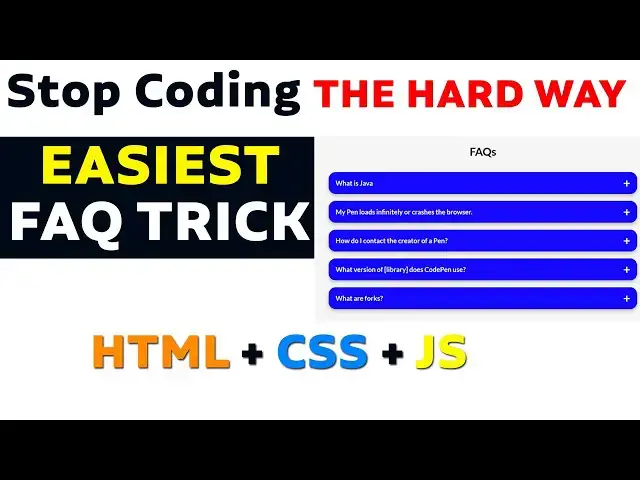
Easiest Way to Create FAQ Section Using HTML & CSS | Web Developer Trick You Must Know!
Oct 17, 2025

Want to make your website look more professional? In this video, I’ll show you the easiest way to create a FAQ section using HTML and CSS — a must-know web developer trick that works for beginners and pros alike!
You’ll learn how to build a clean, modern FAQ section in HTML CSS, and I’ll also show you how to enhance it with a little HTML CSS JS if you want some smooth accordion effects.
This HTML CSS tutorial covers everything step by step — from structuring your HTML to styling your FAQ section with simple CSS animations. Whether you’re creating a portfolio, business website, or landing page, this accordion HTML CSS method will help you add interactive, professional-looking FAQs without needing any complex frameworks.
👉 What you’ll learn:
How to design a FAQ section HTML CSS layout
How to add collapsible FAQ section HTML CSS JS animation
Simple accordion HTML CSS tricks for better UX
Clean and modern web design tips
If you’re learning HTML, CSS, or JavaScript, this tutorial is perfect to practice your skills and make your web pages look polished and user-friendly.
💡 Watch till the end to see the full demo — it’s easier than you think!
Don’t forget to like 👍, comment 💬, and subscribe 🔔 for more HTML CSS JS tutorials and web developer tips.
#html #htmlcss #htmlcssjs #htmlcsstutorial
#faqsectionhtmlcss #faqsectionhtmlcssjs
#accordionhtmlcss
Show More Show Less View Video Transcript
0:00
Hi friends, welcome to tutors funny
0:02
channel. Today I'm going to teach the
0:04
FAQ section of
0:07
web developer. So the FA section mean so
0:11
I'm going to find Java tutorial.
0:14
So you can see there will be the
0:17
questions here the question and answer
0:19
this kind of question and answering how
0:21
to implement our site. Okay here there
0:24
are lot of things. Okay so these are the
0:27
things how to implement our site. So
0:29
there are people who asking that the
0:31
simple way these are the things we are
0:33
asking okay the very simple there is a
0:36
site which called code
0:41
click on it
0:44
here where you can get all the FAQ and
0:48
all the things you can get it from here
0:51
the simple way you have to go to the
0:52
perspective if you went that side it is
0:56
the user interface look like this So
0:58
click on the sign up button and you have
1:02
to uh register via your Gmail account or
1:05
GitHub account. Uh that is your wish.
1:09
Okay. I'm going to sign via my Gmail
1:12
account.
1:15
If you
1:16
if you join via your Gmail account, it
1:20
is coming the welcome screen look like
1:22
this. So I'm going to this one here. I'm
1:24
going to this one. I'm going to go to
1:25
the uh main URL. Okay, I'm leaving this
1:28
screen. Okay, so this is your page. So
1:32
now here I want to search in from FAQ
1:37
se FAQ. Press enter key.
1:41
You can get the lot of templates of the
1:43
FAQ section. So the FAQ here the code
1:48
you can see here these are the FAQ. If
1:50
you select this one here FAQ these are
1:52
the FAQ. So I want to get this FAQ. You
1:54
can see over there there are various
1:56
designs here. Okay,
1:59
if you want to more, you can get more
2:01
designs.
2:02
These are the designs that these are the
2:04
design using the people are using.
2:08
These are the designs people are you can
2:10
see this these are the designs people
2:12
are using their sites here
2:15
this this design I here this how it is
2:17
working here
2:23
these are the FAQ in order to implement
2:26
the FAQ in your website you have to
2:28
consider these three things first one is
2:30
this code
2:32
this is CSS file as well as the JS file
2:36
so how to implement this file I'm going
2:38
to go to create a project.
2:58
I already installed the VS code editor
3:00
my in my computer. So I'm going to open
3:02
it. Code space.2
3:05
open the editor.
3:09
Okay.
3:10
So here I'm going to create the project
3:12
which is set
3:14
index dot html.
3:17
So here hold on the shift key down press
3:20
one
3:22
and select this one. Okay. Now what I'm
3:24
going to do is here I'm going to go
3:26
another thing is here
3:30
I'm going to go to uh implement this
3:34
one. So here this one select all.
3:41
So everything you have to select this
3:42
one. This is everything you have
3:43
selected. This is your uh file. Okay.
3:47
This everything have selected for the
3:49
HTML. So the complete copy this paste on
3:53
it the body. Okay. The HTML you have to
3:56
paste inside the body. Okay. The inside
3:58
the body. What is the code there? This
3:59
is that section. This is the two. Oh,
4:02
these are the questions. This this will
4:04
be the answer. First you have to
4:05
understand the code web. Okay. Before
4:08
you have to go and go to the code pen
4:10
and get used by this code. First you
4:12
have to learn properly by how the HTML
4:15
CSS work together. Okay. That is very
4:17
must. Okay. If you are not learn you
4:20
first go and learn from the scratch and
4:23
come to here otherwise you you cannot
4:25
catch up the lessons. Okay. Middle at
4:27
the middle point you have to start start
4:30
to write. Okay. So after that I'm going
4:33
to go the head tag
4:38
inside the tag you can this is your HTML
4:41
the HTML also you can write the CSS file
4:43
this all copy from here
4:46
go here you can write style
4:52
paste on it
4:54
you have to paste the CSS file okay this
4:57
how you have to paste the CSS file
4:59
that's it
5:01
of the this one the okay first you have
5:04
to consider about when you place the CSS
5:06
files inside the add tag you have to
5:08
paste don't paste inside the body there
5:10
are many student not aware of these
5:13
things okay when you are using the when
5:16
you get the code from some so source
5:18
code from the third party websites you
5:21
must understand where you are going to p
5:25
paste it okay you have to paste it in
5:28
the proper place okay without knowing
5:30
these things uh without knowing these
5:33
things you can't do it. Okay. So that's
5:36
we have done so far. Now let's run and
5:38
check whether it's
5:40
so far fine.
5:47
Yeah. This one here is one it's coming
5:49
everything's well. So I need this one
5:51
here. This FAQ section it's not working.
5:53
Why it's not working? Because I I
5:55
haven't implement the JavaScript. We
5:58
have another file which is a JavaScript.
6:00
So let's go to here. This is JavaScript.
6:02
Just copy this everything.
6:04
Control C to copy this. Back to my VS
6:07
code editor. Go to Java section.
6:10
JavaScript you have to write inside the
6:12
body tag. So body tag. These are HTML.
6:15
Under the HTML we have write the script.
6:17
You start with the script here. The
6:18
script you have write the script over
6:20
here. This is script started. Okay. So
6:22
the script here this is the script added
6:24
here. In this script you have to paste
6:25
on the code. That's it.
6:29
Now let's check on it whether it's
6:30
working fine or not. Again say we save
6:32
on it. Refresh the app. Now click on it.
6:35
Here it's working fine.
6:38
Okay. This how we can do the
6:42
uh
6:44
um
6:47
what FAQ section. Very simply we can
6:49
implement the FA FAQ section. the FAQ
6:52
section we can get if you want to do
6:56
some changes. Okay. Uh what is the
7:00
changes you have to do? So you have to
7:02
do some some changes. Okay. So here uh
7:05
if you want to change the colors and
7:08
everything you will be able to change.
7:10
Okay. So the simple way you have to
7:12
change it. So that here uh I will be I
7:15
reveal the secret of this. So right
7:16
click and impact you go over here the
7:20
questions. Simple way. This is the
7:22
background color. Here is a question.
7:24
Mean this is the question. So here
7:25
select here impact. Get this one.
7:29
Okay. The current color current color
7:31
here. You can select here impact.
7:35
The background color will be background
7:37
color. You can easily check it here.
7:39
Here the front front the front color is
7:42
black.
7:44
Okay. You can see the black color. Okay.
7:46
The questions question part. Okay. The
7:48
this one. Okay. Go to the here. this CSS
7:51
style
7:53
below the CSS styles are there. the CS.
7:57
Okay. So there's a padding the the that
8:01
positive this everything are there. What
8:02
is the cursor they are using the front?
8:04
What are the front they are using?
8:05
Everything color should be black. The
8:08
the background color is white. The
8:09
background color if you want to change
8:10
something else here you can change it.
8:13
So I want to change uh along with blue.
8:18
Oh blue. The blue mean this is a
8:21
container. This container class you just
8:22
copy it
8:24
back to my code. Okay, this is a
8:26
container. You Ctrl F2. Ctrl F mean find
8:30
the container class. This is a
8:32
container. So the container style is
8:33
here the white. The white I'm going to
8:35
change as a which color blue by blue. If
8:38
I change this blue now let's check it
8:41
out.
8:43
Seven here. Refresh it. Now it's check
8:47
it here. Change it as a blue this. Now I
8:50
want this font color also I want to
8:52
change it as a white. So how do how to
8:55
change this right here? You can see test
8:58
out. Okay it can be changed. So it very
9:01
simple way to change it. So let's
9:03
implemented that one. That one also we
9:05
implemented via the container. Okay this
9:07
content. So the container also we back
9:10
to contain again I want to use this yol.
9:14
Now let's file save all back to
9:17
application and refresh them. Now here
9:19
it has been changed successfully.
9:23
Here it's very nice color. This how we
9:25
have to work with the FAQ section. Very
9:29
simple. Now if you want to change the uh
9:32
FAQ we have you can change your
9:36
topic and answer and here you have to
9:37
place your custom questions.
9:42
What what is the custo what is what?
9:45
what is
9:47
Java?
9:50
So I'm I I'm writing the answer from
9:54
here
9:56
asking Java.
10:00
Java is a world
10:04
best
10:06
programming
10:09
language
10:11
language. Okay, you have to you I just
10:15
write it and show it. You have to write
10:17
it your you have to refresh it here.
10:19
What is Java? Java is world best program
10:24
language. If you want to if you if you
10:27
want to insert the internal links you
10:29
will be able to insert it over here.
10:31
Okay. So I uh so far so far we have to
10:34
create the links. So I want to give the
10:37
my website as well. So that drop the dot
10:40
tsfunny.com.
10:43
This is my website off website. Click on
10:46
it. Now let's go and check it.
10:51
Click on it here. Sorry. Click on it
10:53
here to go to that simple problem. Uh
10:57
that here
11:02
write this one. Copy this.
11:11
Okay. Wait, we copy from the HTML. Okay.
11:15
Otherwise not work. HTTP.
11:22
Now it's it's working. Now you can see
11:25
it's go to the respective website. Don't
11:27
copy the WW. You have to copy. Okay.
11:29
This is the protocol. This is nothing
11:31
but a protocol which will be uh
11:34
understand the web browser to pass the
11:36
pass these links. Okay, this is the
11:38
protocol. Okay, https which is nothing
11:41
but a protocol which will be telling
11:43
that to open that particular link inside
11:47
inside the browser. Okay, it will
11:49
convert as a website. Okay, this is a
11:51
protocol. Okay, that's why it will be
11:54
converted. uh earlier I put as a w it it
11:58
didn't convert because that is uh that
12:02
one it it the browser it cannot
12:04
understand okay whether it's website or
12:06
whatever okay so if you put it this is a
12:08
protocol that's why it's easily cons
12:10
when you click this is they they
12:12
consider as this is a link which I click
12:14
on it it goes to this website okay study
12:16
here you can write study here
12:22
okay these are the styles you have to
12:24
make it Here you have to write the
12:25
styles. You have to put it here. You
12:28
have to write style. You have to write a
12:32
uh white color white.
12:37
Check on it. Now
12:45
here the color has been changed as
12:48
white. Okay. It's ghost. Now you will be
12:50
able to see the link as well. Okay. This
12:54
is simple here very simple accordment
12:56
you can simply you can implement your
12:58
websites as well. Okay these are very
13:01
important stuff when you are doing that
13:02
one please do uh please study this
13:05
everything when you implement the
13:07
websites. Thank you for watching.
Programming
Software
Jobs & Education