0:00
Hi friends, welcome to tutors funny
0:03
channel. Today I'm going to teach how to
0:06
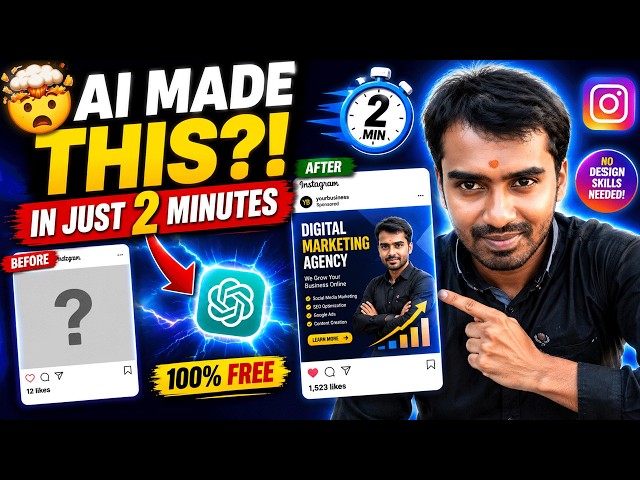
create the Instagram post
0:09
using a so very simple way to create the
0:14
post using a first what you are going to
0:16
is you have to prepare everything. So
0:19
first what I'm going to you have to
0:21
prepare the things everything. So, so
0:23
you can see over here you just take take
0:28
it to one notepad and you roughly write
0:31
the things. Okay. So, you have to create
0:33
the uh Instagram post. Okay. Regarding
0:38
your business, okay, so the based on the
0:41
business here I have uh created the post
0:46
for promoting my digital marketing
0:49
course. Okay. You may be promoting your
0:52
real real estate business. It may be the
0:54
real estate business or any other
0:58
products you are going to promote
1:01
online. So first you have to readyate
1:04
with the title digital marketing course.
1:06
Okay. Like okay. So I have a take
1:10
example of digital marketing course. You
1:12
can take it whatever you want. Okay.
1:15
After that you have a price. If you have
1:17
a price you can define the price. If you
1:20
don't have you you leave as it is. Okay.
1:23
Okay. So later on you will be able to
1:25
once you get the inquiry you will be
1:27
able to negotiate. Okay. It's it's it's
1:30
no problem. Okay. So again for the
1:32
digital marketing course we have
1:33
implement look like this. We have to
1:35
provide the discount and these all the
1:37
things are uh some tricks of marketing
1:40
tricks. After that write the best eye
1:42
catching text for the attractive the
1:45
people. Okay. Attractive. Okay. create
1:47
writing the best eye catching text for
1:50
attracted the people for people
1:59
clicks right okay so we have I tell them
2:04
the AI to write some other eye catching
2:11
make more curioity to click the papers
2:14
okay that is a that's a things you have
2:15
to implement that is a very important
2:18
stuff. After the background color I have
2:20
implemented as white. Okay. Background
2:23
color primary as blue secondary as
2:25
orange. Okay. Okay. The output the
2:28
finally we have tell them the tell tell
2:31
these things to the AI what is the
2:34
output we need to generate. Okay. So
2:42
Okay. So we have to be everything we
2:45
have to tell them to that tool in very
2:48
efficient way and clearly then only the
2:51
AI can understand. Okay. So that one we
2:54
have already we have generated one
2:55
notepad and we have to these are the
2:56
requirements we have. Now let's go to
3:00
that chat GBT. What you're going to do
3:03
is you have to tell them first act as a
3:20
Okay. So here you get give me the
3:31
on this text. Okay. So we don't put put
3:38
it to over here and generate that is not
3:41
a good way. Some people do like this
3:44
way. We just same thing you just put it
3:47
and expecting the output. Don't do like
3:49
that. Okay. So we have to put this like
3:51
this the secondary color
3:55
you can ask them to generate the prompt.
3:58
Okay. So give me the prompt for this
3:59
based on this text. Okay every if you
4:03
have any grammatically you have to
4:05
correct them before you have to execute
4:06
it. Okay. You double check this one
4:09
everything perfectly you align
4:11
that we have it like this inside the
4:13
double quotation mark.
4:20
give me the best prompt based on this
4:24
Okay. Price and everything. Okay. So if
4:27
you want you can change the colors.
4:30
Okay. So this salary is good. Okay.
4:35
uh put it here. The send me the prop.
4:43
It's given like this something.
4:48
Okay, everything they given as in detail
4:52
here you can see it's given that prompt
4:56
everything these are the generated by a
4:58
prompt here look like this way in order
5:03
to you know go through this you just
5:05
copy this prompt we everything you have
5:07
to write in the detail detailing one
5:10
okay detail one so I copy this
5:14
and here I have to 14 over here. Sorry,
5:18
here to tell them I need
5:34
I need to generate Instagram post width
5:55
now let's check the output okay so this
5:58
is the output we are generated by chat
6:00
GBA so we have generate the same saying
6:05
uh tested on that tool which is a Gemini
6:16
but when you looking for a output in
6:21
I recommend it the free tool than pro
6:27
upgrade features include more many
6:29
things for G designers but that uh free
6:34
one is I'm not tell them it is bad it is
6:37
rather good not good actually but
6:39
compared to ch it is good generate
6:42
output here once the output is generated
6:45
we will check this one
7:13
until until generated. Okay,
7:22
generating it's go every every line
7:25
based on this line. It will take some
7:28
time to generate that's why it takes
7:29
some time. Okay. If you look at the
7:32
output here as well, if you click on it
7:35
here also you will be a it is start to
7:38
generate your image. You have to this
7:41
okay completed for this. Here you'll be
7:45
able to see the very best design. You'll
7:47
be able to see here the very best here.
7:55
Here the design is very good.
7:58
Master master graphic designing in here
8:01
there if if you have any content here
8:04
all the content would be there here the
8:06
attract images would be there here the
8:09
you can see the course fee now it will
8:12
be 10,000 save 2,000 here every
8:15
marketing strategies it is implemented
8:17
and created very best AI
8:21
Instagram posts okay this we have
8:23
created the professional one if you
8:25
compare to Gemini Gemini So basic you
8:28
will be able to see Gemini as
8:31
okay. So this how we have now we no need
8:34
to do it uh Photoshop and everything you
8:38
will be able to do these things as well.
8:40
It's very best tools.
8:44
Okay. These are we have generated using
8:47
a okay. So if you have the same thing uh
8:54
you can ask me the same one. I need you
8:57
to you can simply I need act as a give
9:01
me the prompt for this text JSON form
9:16
this another tricky tricky one.
9:54
It this one should be the JSON form.
9:57
Okay, let's check it the different one.
10:00
The JSON mean this that this is the the
10:03
output will be sometime
10:06
advanc if you are generated
10:09
uh rather than you have comp rather than
10:12
compared to the normal text you have
10:14
generated as a JSON format a little bit
10:16
advanc not that much advanced if you
10:19
have both the premium tool if you
10:22
compare to the free tool uh as well the
10:26
that paid tool is advanc you'll be able
10:29
to generate the maximum good output as
10:31
well. Okay. So let me check whether it
10:33
is how the output will be. Okay. So
10:42
wait until the output generated.
11:10
Okay. So here it's generating. So we
11:12
have the same thing. You have to put it
11:13
here as well. The same thing.
11:27
okay the thing is this this uh this this
11:30
is a basic one. So if you have bought
11:32
the premium package the design should be
11:35
more attractive more professional if you
11:39
J the lot of people are uh I show lot of
11:43
people when you move to the company they
11:46
are using premium okay they generate the
11:48
pro they get the prompt from here that
11:52
it is generated in Geminina the output
11:54
would be more attractive here you'll be
11:56
able to see rather than compared to the
11:58
previous one the JSON output is little
12:02
bit different but uh this one also the
12:05
attractive here this learn grow s enable
12:12
symbol as well. So here here the here
12:14
this looking for a job the job market
12:16
also they are implemented for the uh
12:19
curioity purpose. Okay. So this kind of
12:22
image when the people are look at this
12:24
image so people are like to join this
12:28
course. So this kind of image we have to
12:30
implement it. So you can see here.
12:33
Okay. So try this one. Okay. This how we
12:37
have created the Instagram post via a
12:41
Thanks for watching.