0:00
Hi friends, welcome to tutors funny
0:02
channel. Today I'm going to bring the
0:03
video of how to make the AI video. Okay,
0:06
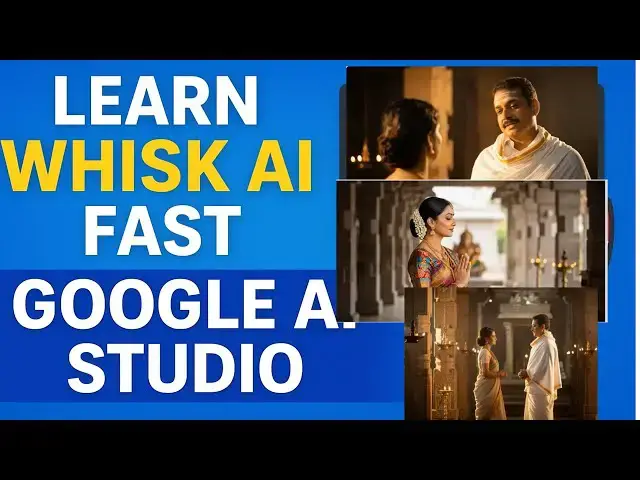
so here you can see this is the AI video
0:09
I made. So this video I didn't add the
0:12
voice over. You will be able to add the
0:14
voice over. Okay, so this is the here
0:16
this is a simple character that the man
0:19
and woman talking at the temple. Okay,
0:22
this is the simple one. This all the
0:24
images are created me and we have
0:26
generated by a how to do step by step I
0:30
will teach. Let's move into the video.
0:34
Hi friends, welcome to tutors funny
0:36
channel. Today I'm going to uh do the
0:43
best AI tool which is a Google
0:51
Okay. So here this is the a you click on
1:06
but sign in your uh Gmail account with
1:09
your your credential.
1:13
I'm going to give the prompt over here.
1:14
And I'm going to give the prompt a
1:55
Okay. So this is the prompt. So your
1:57
detailing in detailing I'm going to go
1:59
to that respective a tool chatbt.
2:29
Now here what I'm going to do is here
2:35
the prompt is coming successfully. Just
2:55
Now you can see here there are two uh
2:58
images are generated successfully.
3:00
You'll be able to see. Now what you're
3:02
going to do is I want to generate
3:04
another one which is a prompt. I'm going
3:06
to give you as uh Indian
3:52
I just copy this prompt
4:05
Paste on it again. this one.
4:14
Now we have to wait until the image
4:16
generation completed.
4:23
So here the two kind of images generate.
4:25
So let's check this one. Get one. Okay.
4:28
So now what I'm going to since I'm going
4:31
to put these two images. So this first
4:33
images I want to like this one.
4:37
Yes. Okay. Second uh image scenes.
4:44
Okay. Scenes. Second images. I'm drag
4:50
The two images. You have to put it
4:52
scenes. Okay. So after that what you're
5:03
after that we have to give the prompt
5:05
over here. Okay. So we have to use a
5:41
Okay. So according to that images
5:44
according to these two images just
5:46
combine and create the images uh image
5:49
different image. Okay. This this how
5:55
Right. So that two images are so for
5:58
matching here. You can check it here.
6:02
Okay. So you can check it here. Okay.
6:03
You can generate it anything differently
6:05
you will be able to generate it. So both
6:07
are I hope this both are matching. So I
6:10
want to generate the video as well for
6:13
this according to this image. Okay. So
6:16
out would be achieved. Okay. So that is
6:18
the tool which is a Google
6:29
Yeah. Which can achieve that stuff.
6:33
Okay. Google flow. Sorry, Google studio.
6:36
Sorry, Google studio.
6:41
Yeah, just click on it. The same thing.
6:47
Nowadays, if you type on the flow, it's
6:49
not working. You have type this one.
6:52
Both the are same. Okay. So, now here we
6:54
have going to go to that where click
7:03
Now here you can come when you open that
7:06
uh Google AI studio come up up this one
7:09
uh on the screen you click on that chat
7:14
you can click on the VO2
7:17
okay so this is for the video generation
7:20
uh option okay so you have to select
7:22
that for your desktop or mobile okay so
7:26
here I'm going to select this desktop so
7:29
prompt I'm going to select as the Indian
7:31
man and woman speaking at the co. This
7:33
is the prompt and paste it over here.
7:38
After that we have a image. The image
7:42
upload the image. So image I want to
7:45
already I have downloaded
7:48
uh this image. Which image mean this
7:51
one. I pick up this image.
7:55
Okay. This image run it. So you have to
7:58
wait until the video is created. Now the
8:01
video is creating. You have to wait
8:02
until the video is completed.
8:07
So let's let's wait. After completed the
8:10
video, we'll back to the tutorial.
8:14
Now let's check the final output how the
8:18
final output will be. So this is the
8:20
video it is generating. So click on the
8:24
So uh this video we have to give the
8:28
voice over and we will be updated. So
8:30
this is this is the professional way to
8:35
We give the characters that characters
8:37
this character should speak there here
8:39
this a man this this two this two im
8:43
this this images we have to make it as
8:47
okay so this how we have make it the AI
8:50
videos how it's easy to make it video
8:54
okay so you can give here it's video
8:56
okay now if you want you can you'll be
8:59
able to download the video as well here
9:01
you'll be able to download it you can
9:03
watch them over Okay,
9:07
this hope you can create the uh good
9:09
video. So this is the best quality video
9:12
here you can see. Thank you for