Up next in 10


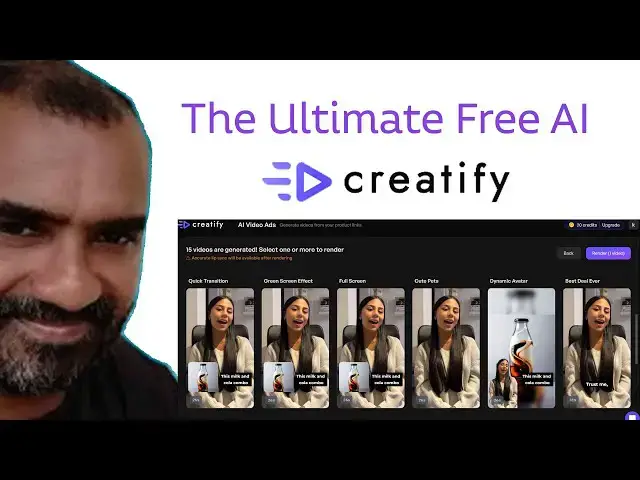
The Ultimate Free AI Tool for Creatify AI
#aimode #aimodel #newaitool
Show More Show Less View Video Transcript
0:00
Hi friends, welcome to tutor sonic
0:02
channel. Today I bring the video of
0:04
creative AI. This tool is very essential
0:09
tool those who are running the business
0:12
online. So if you have Facebook page you
0:16
have to promote your product into your
0:20
in into your country or out of the
0:22
country. The advertisement is most
0:25
important part. You have to show the
0:27
advertise advertisement in attractive
0:30
way. But here in this AI what does you
0:34
have to given the prompt according to
0:36
the prompt the video has been created.
0:39
Here this video I have
0:42
I have just invented the milk it which
0:47
name is milk cola. I just name it as
0:49
milk cola. This is a newly product. So I
0:51
gave the color and all just so that mix
0:54
up the colors. So you can see there is a
0:58
video there it is consist of uh six
1:02
various type of video has been
1:04
generated. So you can pick up one of
1:06
this. So here you can see first
1:09
the first video you can see
1:14
everything here you can see this first
1:15
video it's here.
1:19
You can see
1:25
okay.
1:27
Okay. There are
1:30
many type of the
1:42
you can see here.
1:45
Okay. So this is the just I just I'm not
1:47
specify anything else just give the text
1:49
only here there the based on the text
1:52
they have uh describe the video okay
1:55
this you can bring up the best
1:58
eye-catching video to the customer you
2:00
can you can try on it this is a very
2:02
best tool you will be able to try on it
2:04
so here how to do the thing is you go to
2:07
that tool which is this one creative AI
2:11
go to that tool
2:15
Okay. So, first you try out the start
2:17
testing free. Here you can see the
2:20
before you can started this you can make
2:22
this kind of a good videos here
2:27
this all here it's normally here it's
2:30
it's like a human
2:32
something something a reality uh thing
2:35
is display but here is actually very
2:37
best you can here you can uh
2:41
make this kind of a video so you can how
2:44
to register go to start testing Here
2:53
you can see here that uh you can see
2:55
here like this. Okay. So you can create
2:57
choose a existing product.
3:01
Okay. Already I have add one product.
3:03
Click new product. Enter manual.
3:07
You have to display the product name
3:09
which is what is the name of the
3:10
product. Here I'm adding it cola.
3:17
Uh orange
3:20
that's the name category which is a B
3:23
breage. This is a brieval
3:29
alcohol here. This is the cola orange
3:40
based on the
3:44
drinking
3:48
product.
3:51
Okay, you can uh mix up the color and
3:54
also I get orange
3:59
and red.
4:02
Create the product.
4:06
This is the thing you have to do it.
4:07
Okay, so this is a product color orange.
4:10
Click on it and use use this one. Okay,
4:12
so you have the you can see that video
4:14
has been create creating very simple
4:17
things I have did. Okay, you can create
4:19
the pre pre video as well because that
4:21
uh here there's a uh they are g giving
4:24
the 20 credits. Okay, you can use until
4:28
the credit finish. Okay, this how I have
4:30
created the video this kind of video.
4:33
Okay, here you can see these are the
4:34
good videos here. Okay, you have try out
4:37
these kind of videos. It's very
4:39
essential for displaying your products.
4:40
Okay. So these are the videos you can do
4:42
it. Okay. So here here you can okay here
4:46
these are plenty of videos they are
4:47
displaying here.
4:53
Okay. So this you can do the things.
4:55
Okay. This video is still rendering.
4:57
Okay. So we have to wait until the video
5:01
uh is finished. Okay. your product is
5:03
still uh generating
5:07
upon your front.
5:09
Thank you for watching.
Marketing
Sales