Up next in 10


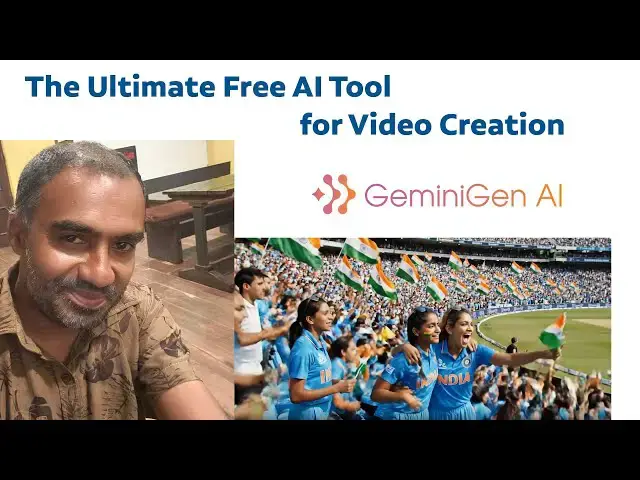
The Ultimate Free AI Tool for Video Creation Geminigen AI
#geminigenai
Show More Show Less View Video Transcript
0:00
Hi friends, welcome to
0:03
tutor funny channel. Today I'm going to
0:04
teach the AI which is a Gemini AI. This
0:07
is the AI tool I'm going to teach today.
0:09
This AI tool
0:11
what I'm going to do is I'm going to go
0:12
to the Google
0:16
and type
0:17
GNI AI. So if you are type on this tool,
0:22
you will be able to find this site.
0:24
Okay, this side which will be help us to
0:26
create a video. Okay. Less than 2
0:31
minutes. Okay. Right. Depend on the
0:33
internet connection. So after that when
0:36
you are go to that respective website
0:37
click on it. It ask your uh Gmail
0:40
credential to login. You have to access
0:43
this AI via your Gmail account.
0:47
After you logged in your Gmail account
0:51
you can see that
0:53
simple dashboard they given the 40
0:57
credits. Okay. So that price are very
1:00
less. If you go to the premium also they
1:02
are price are very less while you
1:04
creating the videos. Yeah. Unlimited
1:07
video generation they have only
1:09
uh given $10 unlimited video generation.
1:13
Okay.
1:14
So that's okay. Now at the moment you
1:17
can use it for free. So you can here
1:20
this first thing is some the basic and
1:23
advanced two different modes are there.
1:25
So first I'm going to create the video.
1:27
Uh we have to create a font. Okay.
1:30
According to a video, right? So first
1:33
what I'm going to do is I'm going to go
1:35
to the chat GBT.
1:40
Let's try out go to the chat GBT and
1:44
here I'm going to type the prompt act as
1:48
world best
1:51
video creator. This the prompt I'm going
1:54
to type and again I'm going to create uh
2:01
act as a world best video creator uh
2:04
world best uh prompt for video prompt
2:11
act as a world best prompt writer
2:17
for video creator. So again I I need I
2:21
need you to
2:25
I need you to give the
2:30
rest
2:32
from prompt for
2:36
given
2:39
text.
2:42
I I need you to give the best prompt for
2:47
for uh prompt for video prompt for video
2:51
creation
2:55
creation event.
2:59
So here I'm going to type
3:02
uh two
3:05
Indian
3:08
girls
3:10
are
3:14
watching
3:17
cricket
3:20
at the at the ground.
3:26
Two Indian girls are watching cricket at
3:29
the ground.
3:31
Now let's check it.
3:34
This is the prompt which I generated by
3:36
CH GBT. What I'm going to do is I just
3:38
copy this the prompt. What it display
3:41
here back to my AI tool which is a
3:44
Jiminy Chen AI paste on it. This SI
3:49
free you can try this one also. This is
3:52
not free. Okay. Okay. you'll be able to
3:54
there is a free version is there okay
3:56
resolution also they given this one so
3:59
I'm going to click vi this also the free
4:01
let's generate this one
4:07
boi v okay so let's check
4:14
okay it ask the uh verify the humor
4:23
Okay. After that, after you've done the
4:26
stuff, the your video is begin creating
4:28
with the AI magic. Okay. You have to
4:30
wait until the video creation is done.
4:32
Okay. It's very simple.
4:39
Now the video generators part is done.
4:42
You will be able to see the video. Yeah.
4:44
You can see
4:53
Okay, this kind of a video we have
4:55
created. What is the prompt we are
4:57
generating? According to the prompt,
4:59
it's given as a awesome video. Okay,
5:01
this video you'll be able to download.
5:04
Okay, so you have a option for download.
5:06
Click on it. You can click downloaded.
5:08
It has been downloaded. Okay, so this is
5:11
a very efficient uh A2. Okay, so you can
5:14
see the two girls are watching cricket
5:17
match.
5:19
Okay. So these kind of uh things we'll
5:21
be able to do with this AI tool. Thank
5:24
you for watching.
Online Media
Multimedia Software
Jobs & Education
Freeware & Shareware